Part 2: Creating and Attaching Tools
Now that the agent exists, you need to give it tools to interact with your data. In this section, you'll create API tools to retrieve invoice, purchase order, and GRN information.
Navigate to the Tools Section
-
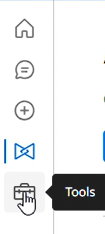
In Agent Garden, click the Tools icon in the left-hand navigation bar.
Create a New API Tool
-
Click Create New Tool.
-
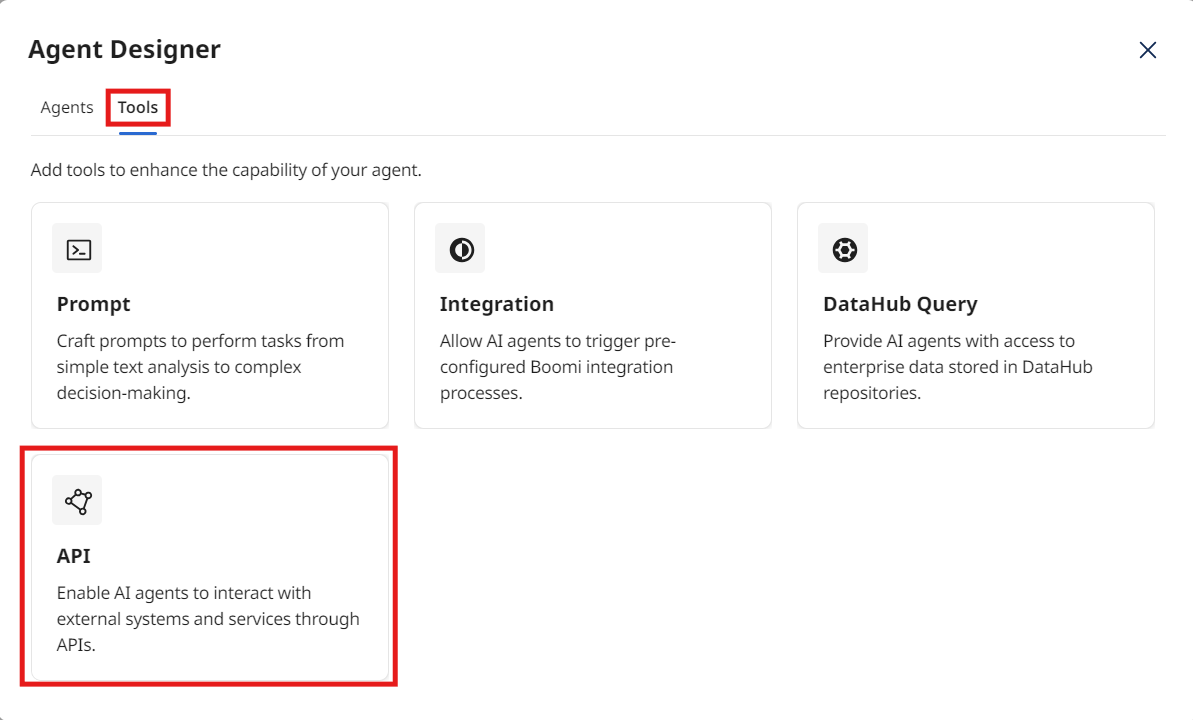
Select API from the Agent Designer modal and click Add Tool.
Define the Tool Signature
-
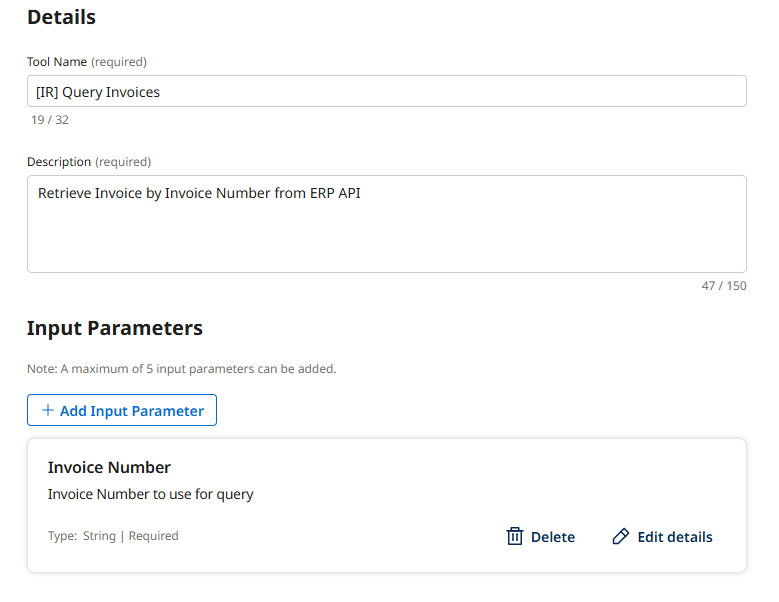
Tool Name:
[builderInitials] Query Invoices -
Description:
Retrieve Invoice by Invoice Number from ERP API -
Under Input Parameters, click + Add Input Parameter.
- Name:
Invoice Number - Description:
Invoice Number to use for query - Type: Select String from the dropdown.
- Click Add Input Parameter.
- Name:
-
Click Save & Continue.
-
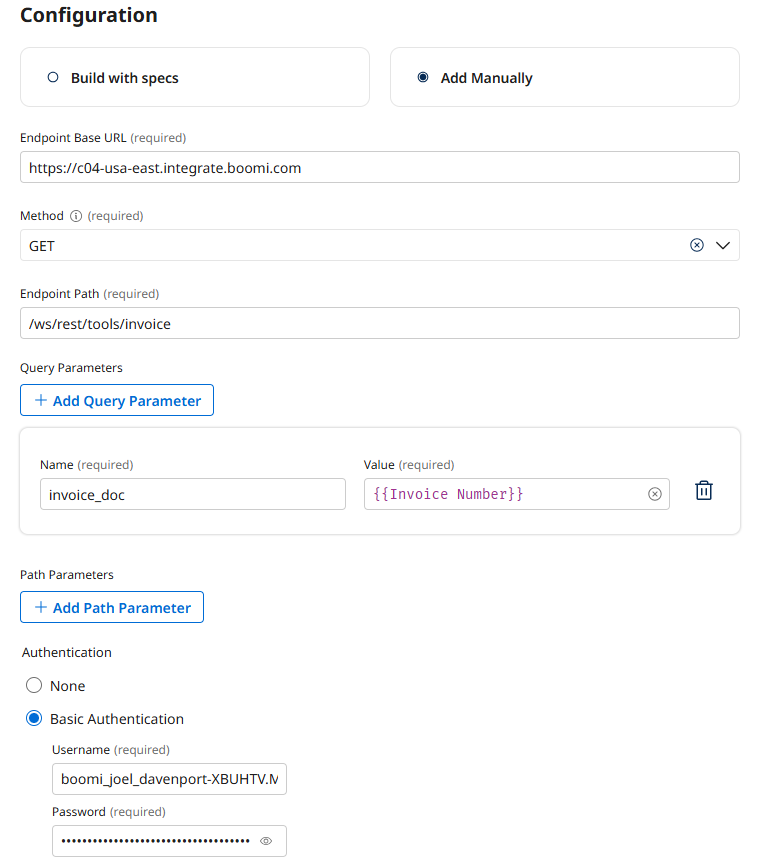
Choose Add Manually under Configuration:
-
Base URL:
https://c04-usa-east.integrate.boomi.com -
Method: GET
-
Endpoint Path:
/ws/rest/tools/invoice -
Query Parameters:
- Name:
invoice_doc - Value:
{{Invoice Number}}
- Name:
-
Basic Authentication:
- Username:
boomi_joel_davenport-XBUHTV.LSK9ET - Password:
127dcae6-015c-4f3c-8494-184785aaff0b
- Username:
-
Review and Deploy the Tool
- On the Review screen, verify the tool's configuration and click Deploy Tool.
- Confirm by clicking Deploy in the pop-up.
Create two more API tools for PO and GRN retrieval
PO Tool Signature
- Tool Type: API Tool
- Tool Name:
[builderInitials] Query Purchase Orders - Description:
Retrieve Purchase Order by PO Number from ERP API - Input Parameter:
- Name:
PO Number - Description:
PO Number to use for query - Type: Select String from the dropdown.
- Name:
PO Tool Configuration
- Choose Add Manually under Configuration:
- Base URL:
https://c04-usa-east.integrate.boomi.com - Method: GET
- Endpoint Path:
/ws/rest/tools/purchaseOrder - Query Parameter:
- Name:
po_number - Value:
{{PO Number}}
- Name:
- Basic Authentication:
- Username:
boomi_joel_davenport-XBUHTV.LSK9ET - Password:
127dcae6-015c-4f3c-8494-184785aaff0b
- Username:
- Base URL:
GRN Tool Signature
- Tool Type: API Tool
- Tool Name:
[builderInitials] Query GRNs - Description:
Retrieve GRN by PO Number from ERP API - Input Parameter:
- Name:
PO Number - Description:
PO Number to use for query - Type: Select String from the dropdown.
- Name:
GRN Tool Configuration
- Choose Add Manually under Configuration:
- Base URL:
https://c04-usa-east.integrate.boomi.com - Method: GET
- Endpoint Path:
/ws/rest/tools/grn - Query Parameters:
- Name:
po_number - Value:
{{PO Number}}
- Name:
- Basic Authentication:
- Username:
boomi_joel_davenport-XBUHTV.LSK9ET - Password:
127dcae6-015c-4f3c-8494-184785aaff0b
- Username:
- Base URL:
Attach the New Tools to Your Agent
-
Navigate back to the Agents screen.
-
Click on the agent's name (
[builderInitials] Invoice Reconciliation Agent) → Edit → Disable to enter the configuration screen.tipYou must disable an agent before making changes.
-
On the Tasks tab, find the Collect Procurement Documents task.
-
Click the Manage Tools button for this task.
-
Click + Add New Tool.
-
Search for and check the boxes for the following tools:
[builderInitials] Query Invoices[builderInitials] Query Purchase Orders[builderInitials] Query GRNs
-
Click Add Tool, and then Save.
-
Click Save to save the agent.