Part 1: Creating the API Tool for Email Notification
In this step, an existing API for sending email notifications will be added as an API Tool in Agentstudio, after which you will then attach the tool to the agent you will create in Part 3.
Navigate to Agentstudio
- Navigate to Agentstudio by clicking the AI button in the top right.
- In Agent Garden, navigate to Tools in the left navigation menu.
Create a New Tool
-
Create a new tool:
-
Add Tool type: API Tool
-
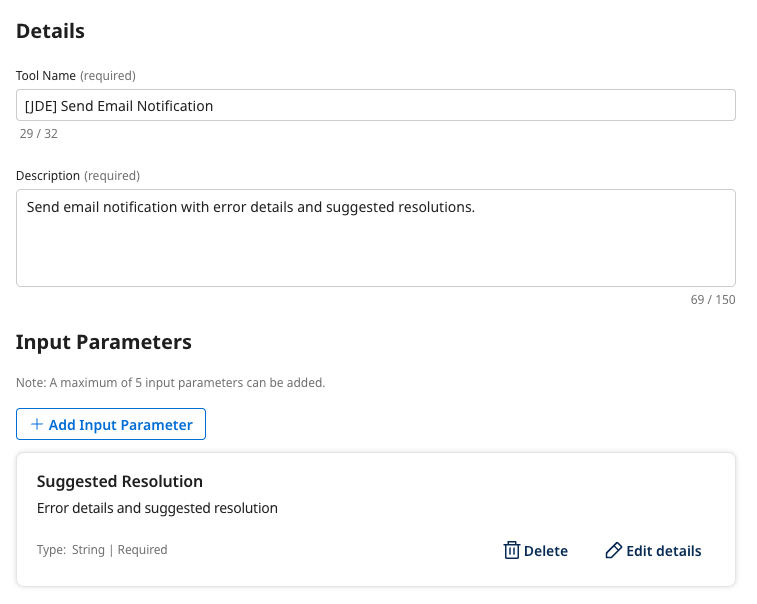
Tool name:
[builderInitials] Send Email Notification -
Description:
Send email notification with error details and suggested resolutions. -
Add Input Parameter:
- Name:
Suggested Resolution - Description:
Error details and suggested resolution. Be sure to escape all JSON characters that are included in this parameter as it will be sent into an API call. - Type: String
- Required: True
- Name:
-
Select Save & Continue to move to the Configuration section:
-
Select Add Manually.
-
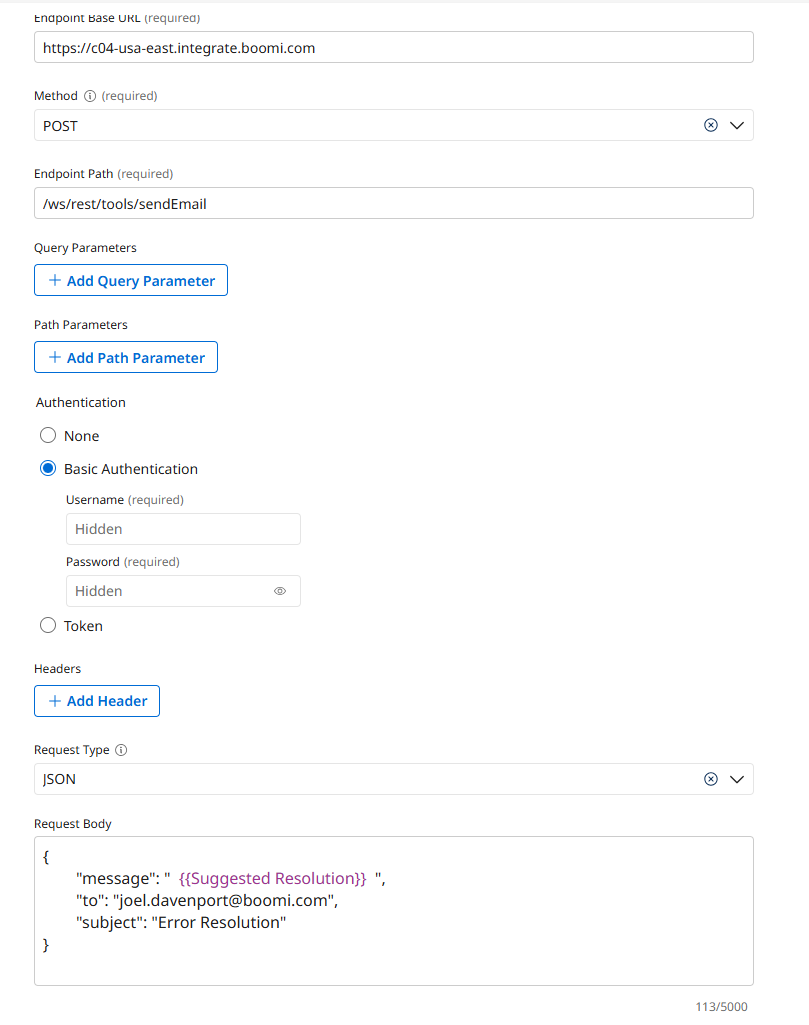
Endpoint Base URL:
https://c04-usa-east.integrate.boomi.com -
Method: POST
-
Endpoint Path:
/ws/rest/tools/sendEmail -
Authentication: Basic Authentication
- Username:
boomi_joel_davenport-XBUHTV.LSK9ET- Password:
127dcae6-015c-4f3c-8494-184785aaff0b -
Request Type: JSON
-
Request Body:
- Replace yourEmailAddress with your email.
{
	"message": " {{Suggested Resolution}} ",
	"to": "yourEmailAddress",
	"subject": "Error Resolution"
} -
Select Save & Continue.
-
-
Select Deploy Tool.
-