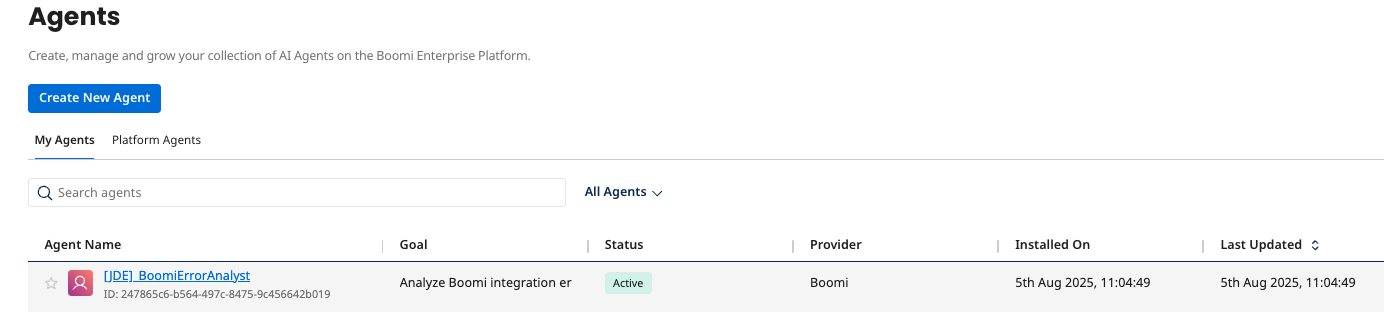
Part 2: Create an Agent to analyze errors
Create a New Agent
-
In Agent Garden → Agents, create a new agent.
- Start with a Blank Template → I will add manually.
Configure Profile
-
Configure Profile:
- Goal:
Analyze Boomi integration errors and provide detailed troubleshooting recommendations and pass the recommendations to the tool as a body for an email. - Agent Name:
[builderInitials]_BoomiErrorAnalyst - Voice: Professional
- Goal:
-
Click Save & Continue.
Add Tasks
Task 1: Error Log Analysis
-
Click + Add New Task.
-
Task Name:
Error Log Analysis -
Description:
Collect and analyze Boomi integration error logs. -
Instructions:
Request detailed error log from the user
Parse and categorize the specific error type and context
Identify potential root causes of the integration failure
If the error looks to be an issue with the payload, create a new payload with added suggestions. -
Click Add Task.
Task 2: Create Notification
-
Click + Add New Task.
-
Task Name:
Create Notification -
Description:
Send comprehensive error analysis to the tool. -
Instructions:
Compose a professional email with error details
Include troubleshooting recommendations
Send the suggestions to relevant stakeholders via email -
Click Add Task.
Link Tool to Task
-
On the Tasks tab, find the Create Notification task just created.
-
Click the Manage Tools button for this task.
-
Click + Add New Tool.
-
Search for and check the box for the tool:
[builderInitials] Send Email Notification.infoLeave checkboxes unchecked after adding tools (Requires Approval; Data Passthrough).
-
Click Add Tool, and then Save.
-
Click Save & Continue.
Set Guardrails
-
Set Guardrails:
-
Blocked Message:
I cannot process requests that involve unauthorized access or sensitive system information. -
Denied Topic:
-
Name:
Confidential Information Protection -
Description:
Prevent disclosure of sensitive integration credentials -
Sample Phrases:
-
Share login credentials -
Expose internal system passwords -
Reveal private network details
-
-
-
Word Filters:
-
hack -
exploit -
bypass -
breach
-
-
Add Custom Regex Pattern (filter out email addresses):
^[a-zA-Z0-9._%+-]+@[a-zA-Z0-9.-]+.[a-zA-Z]{2,}$
-
Save and Deploy Agent
-
Save and Deploy Agent:
- Click Save & Continue.
- Click Deploy Agent → Deploy.