Part 3: Build a headless process to simulate errors/failures
Return to Boomi Integration. Build a tester/dummy Integration process built to fail in order to demonstrate how the Agent Step calls your agent within the Boomi Integration Platform.
Create the Tester Failure Process
Create a new process named: Tester Failure Process that looks like the following:
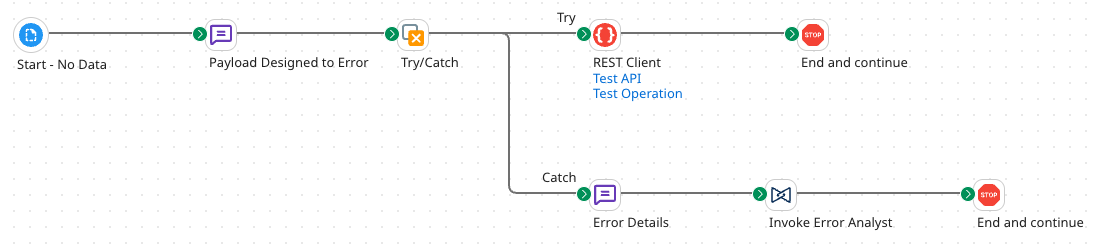
Add the following steps onto the canvas:
Start Step
- Start - No Data
Message Step
-
Message step:
-
Name:
Payload Designed to Error -
Body: (copy contents below)
'{
	"id": 12345,
	"category": {
		"id": 3
		"name": "Dogs"
	},
	"name": "Buddy the Golden Retriever"
	"tags": [
		{
		"id": 101,
		"name": "friendly"
		}
		{
		"id": 102,
		"name": "house-trained"
		},
		{
		"id": 103,
		"name": "good-with-kids"
		}
		{
		"id": 104,
		"name": "vaccinated"
		},
	],
	"status": "available",
}'
-
Try/Catch Step
-
Try/Catch step:
- Failure Trigger: All Errors
-
Down the Try path:
-
Connect a REST Client step:
-
Create a new Connection:
- Name:
Test API - Base URL:
https://petstore.swagger.io/v2/pet - Leave all defaults and click Save & Close.
- Name:
-
Action:
POST -
Create a new Operation:
- Name:
Test Operation - Leave all defaults and click Save & Close.
- Name:
-
-
Connect a Stop step to the REST Client step.
-
-
Down the Catch path:
-
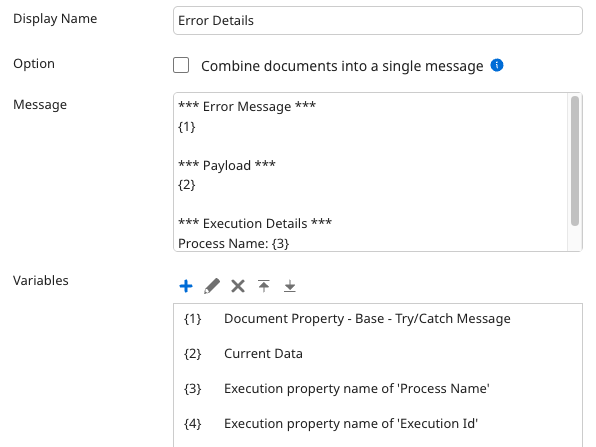
Message step:
- Display Name:
Error Details - Body: (copy contents below)
*** Error Message ***
{1}

*** Payload ***
{2}

*** Execution Details ***
Process Name: {3}
Execution Id: {4}-
Variables:
- 1 - Document Property → Meta Data → Try/Catch Message
- 2 - Current Data
- 3 - Execution Property → Process Name
- 4 - Execution Property → Execution Id
- Display Name:
-
Agent Step
-
Agent step:
-
Display Name:
Invoke Error Analyst -
Select the [builderInitials]_BoomiErrorAnalyst agent that you created in Part 2. Then select Generate Configuration.
warningIf you do not see your agent listed, you may need to navigate to AI → Agent Control Tower. Open Providers in the left menu, find the Boomi account, and select Sync Now.
-
On the Authentication tab → Platform API Token, enter:
c551bd60-51a8-4356-b45f-ed54d56cc798 -
Connect a Stop step to the Agent step.
-
Deploy and Test
-
Save the process.
-
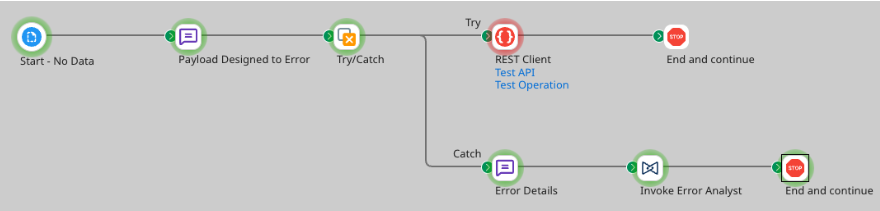
Test the process.
-
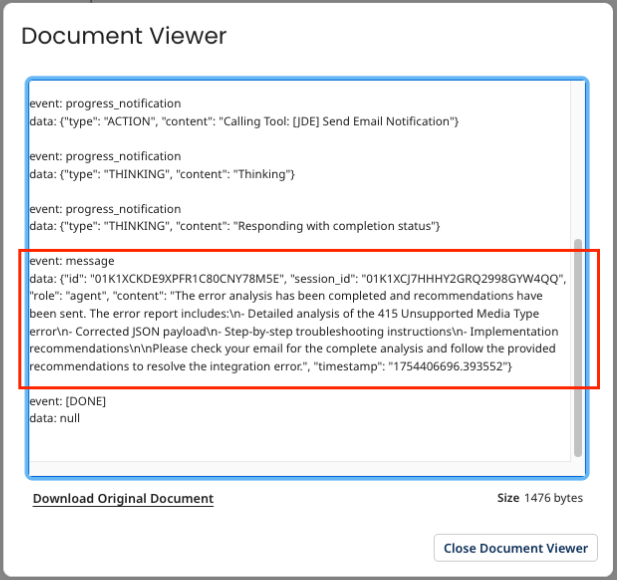
View Source Data for the final Stop step.
-
The email notification with error resolution might look something like:
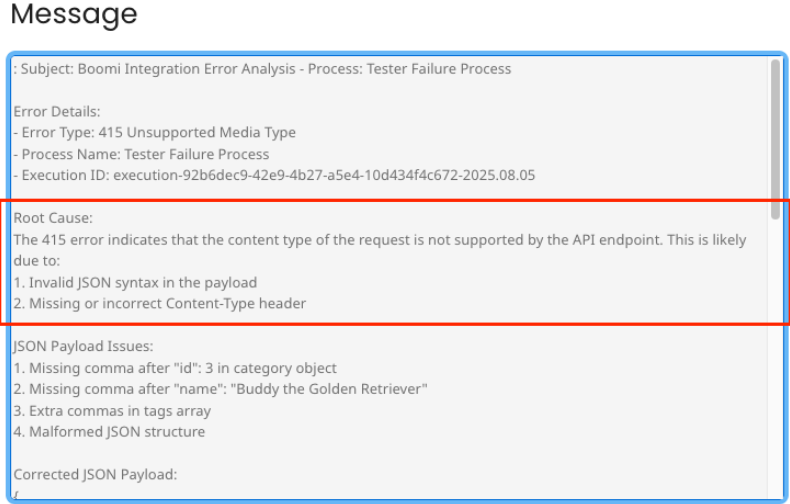
Consider how the "art of the possible" can come into play: decide what you want to do next now that you have your error details, process information, and suggested resolution.
You've successfully built an Error Analyzer Agent that monitors processes in real time, identifies root causes, and learns from past incidents to prevent repeat failures. Your agent can now automatically receive error messages, intelligently analyze logs, identify potential root causes, and generate detailed troubleshooting recommendations—transforming a manual, error-prone process into intelligent automation!