Activity 2: Building an AI Agent
It is now time to create the Retentix Intelligent Churn Detection AI Agent by assigning specific API Tools to the tasks required to achieve the agent's goal. Each task represents a step in the agent's workflow—such as retrieving data, updating records, or sending notifications—and you will attach the appropriate API Tool to enable the agent to perform that action. By linking these tools to their respective tasks, you define how the agent interacts with systems, orchestrates logic, and completes its objective autonomously.
In this activity, you will complete the following:
- Setting up your Agent's Profile
- Setting up your Agent's Tasks
- Setting up your Agent's Guardrails
- Testing the Agent with Prompting
Setting up your Agent's Profile
-
From the Agent Designer dashboard, click the plus button on the left hand side of the screen, then select Build with AI.

-
You can try the following scenario by manually adding all the information, but we recommend letting AI provide the defaults. By using Build with AI, you can see the full capabilities of Agent Designer.
noteExploring various prompts at one's discretion using the Build with AI option is suggested.
-
Enter the following Goal:
Analyze entity data to identify and predict potential churn by evaluating comprehensive risk factors and engagement metrics. The 5 tasks include 1. Retrieving a Customer 360 to gather all available information, compile sentiment scores, risk scores and engagement logs and normalize and standardize data for comprehensive analysis. 2. Churn Risk Assessment where you evaluate individual churn probability and categorize entities into churn risk segments. 3. Risk Classification where you categorize entities into churn risk segments. 4. Predictive Reporting where you generate a comprehensive churn prediction report. 5. Notify and Escalate where you notify and escalate the proper teams if prompted to do so.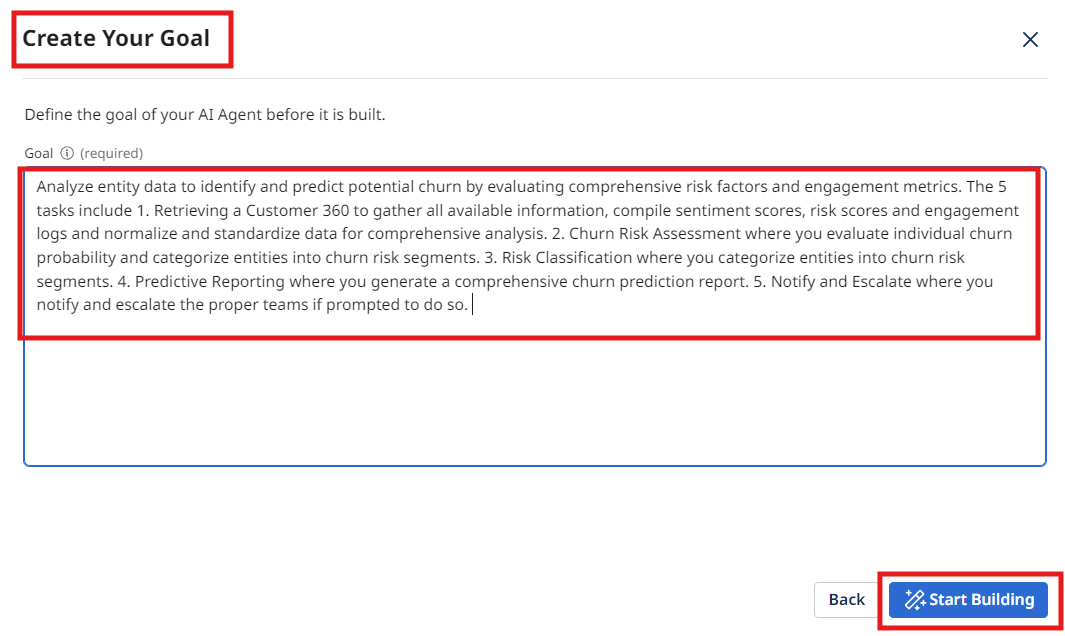
-
Select Start Building.
noteBy using the Build with AI option, you may get slightly different results than the ones pictured below. That's fine – there are multiple ways to achieve the goals of this activity.
-
Edit the Basic information to state the following:
- Basic Information:
Analyze entity data to identify and predict potential churn by evaluating comprehensive risk factors and engagement metrics
- Basic Information:
-
Select Save.
-
The system-generated name for your agent may not be what you want–feel free to change it. If you want to match this activity, change it to
Intelligent Churn Agent [builderInitials].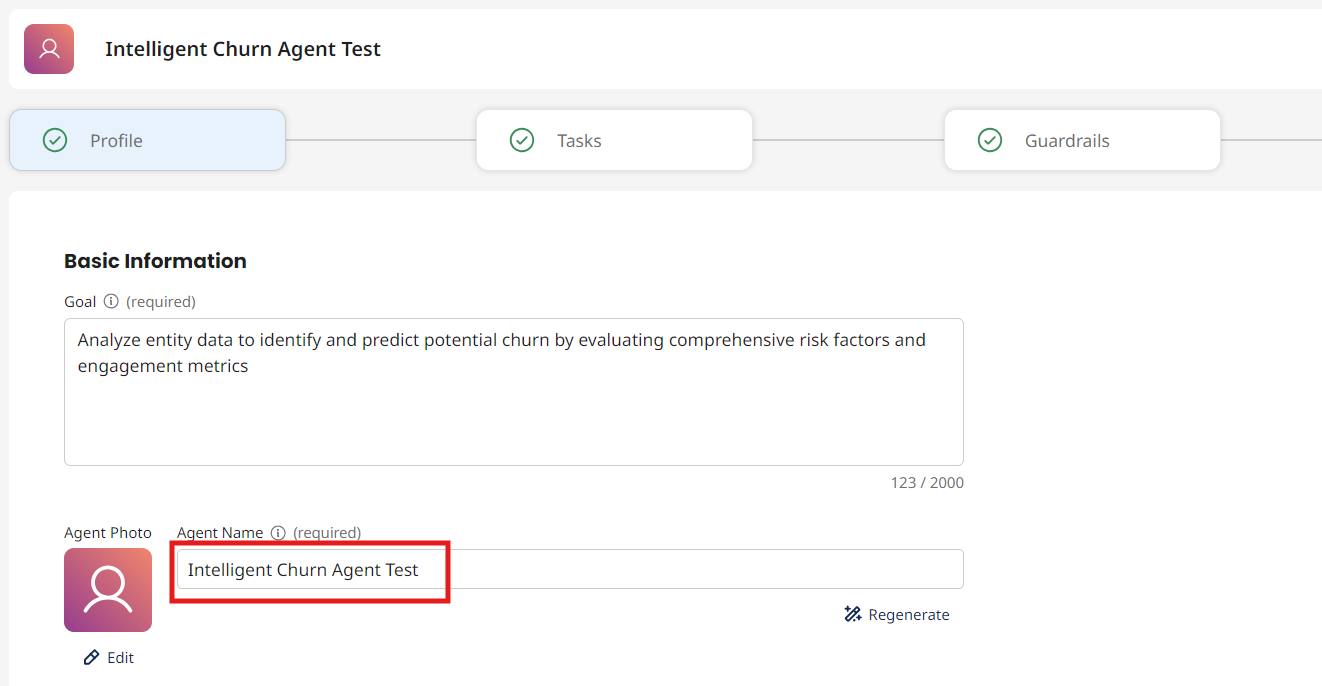
-
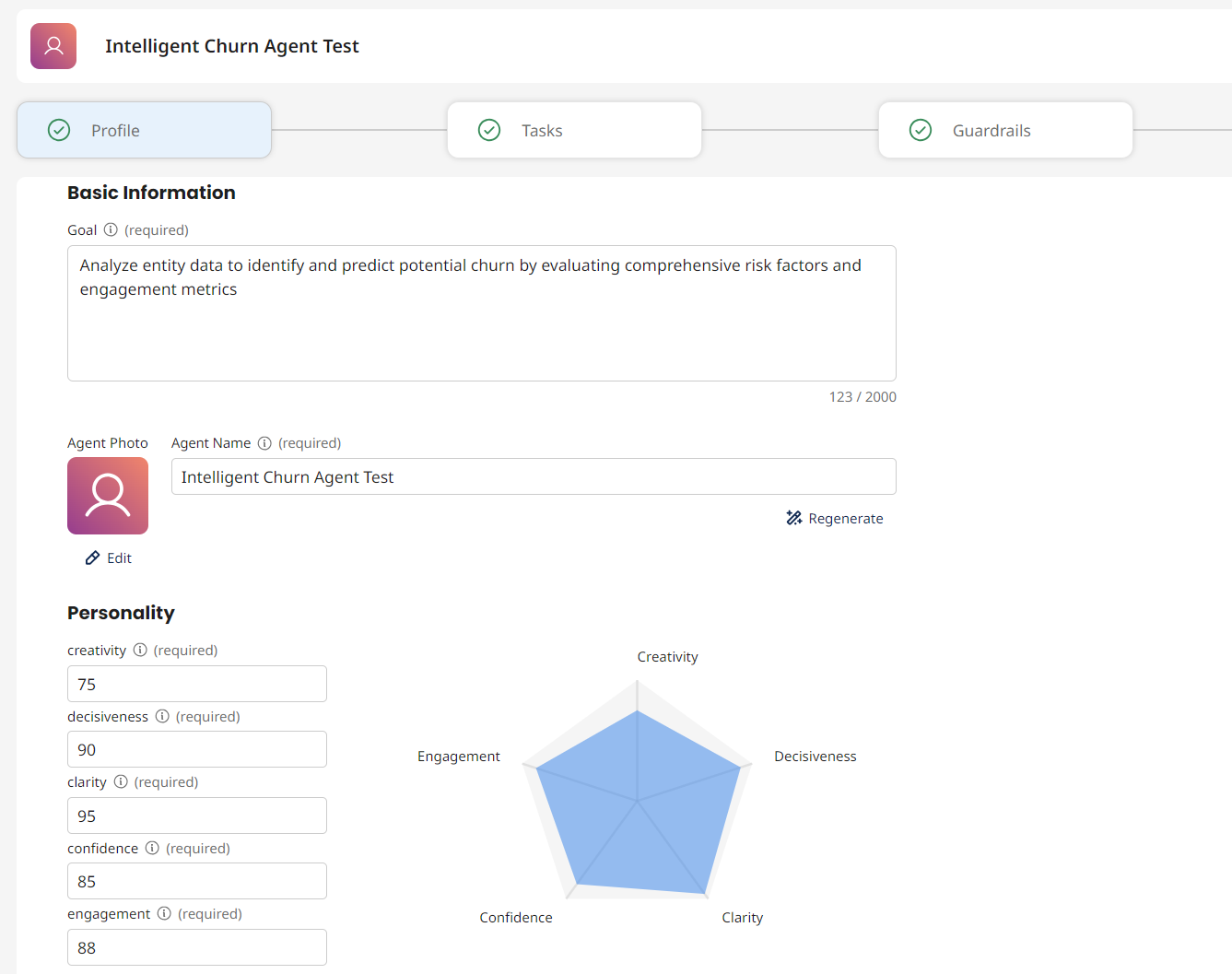
Next, look at the default values generated for your agent's personality.
- Creativity - Controls response diversity and originality
- Engagement - Influences response detail and elaboration
- Decisiveness - Balances between deterministic and exploratory outputs
- Confidence - Affects precision and brevity
- Clarity - Controls focus and precision
-
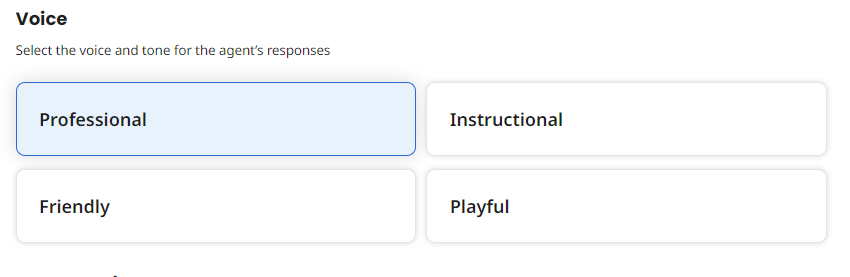
Next, look at the values generated for your agent's voice.
- Professional - Courteous, concise, respectful, objective, and solution-oriented
- Friendly - Casual, warm, engaging, and enthusiastic
- Instructional - Detailed, logical, direct, supportive, and objective
- Playful - Lighthearted, engaging, casual, encouraging, and fun
 note
noteYou may change the voice to better fit the voice and tone of your agent.
-
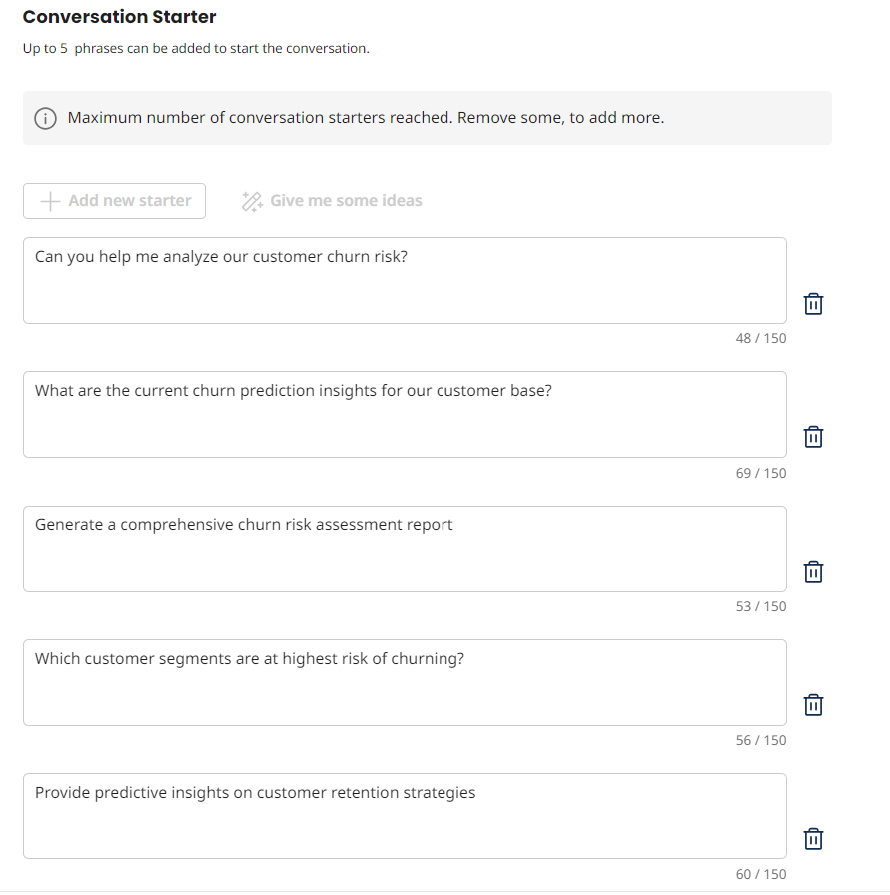
Review the Conversation Starters. These starter prompts display as clickable buttons on the agent's main conversation page so you can quickly get started. Your Conversation Starters may differ from what is displayed below.
-
Select Save & Continue.
Setting up your Agent's Tasks
Adding the Customer 360 API Tool
-
Move to the next tab to review the Tasks.
-
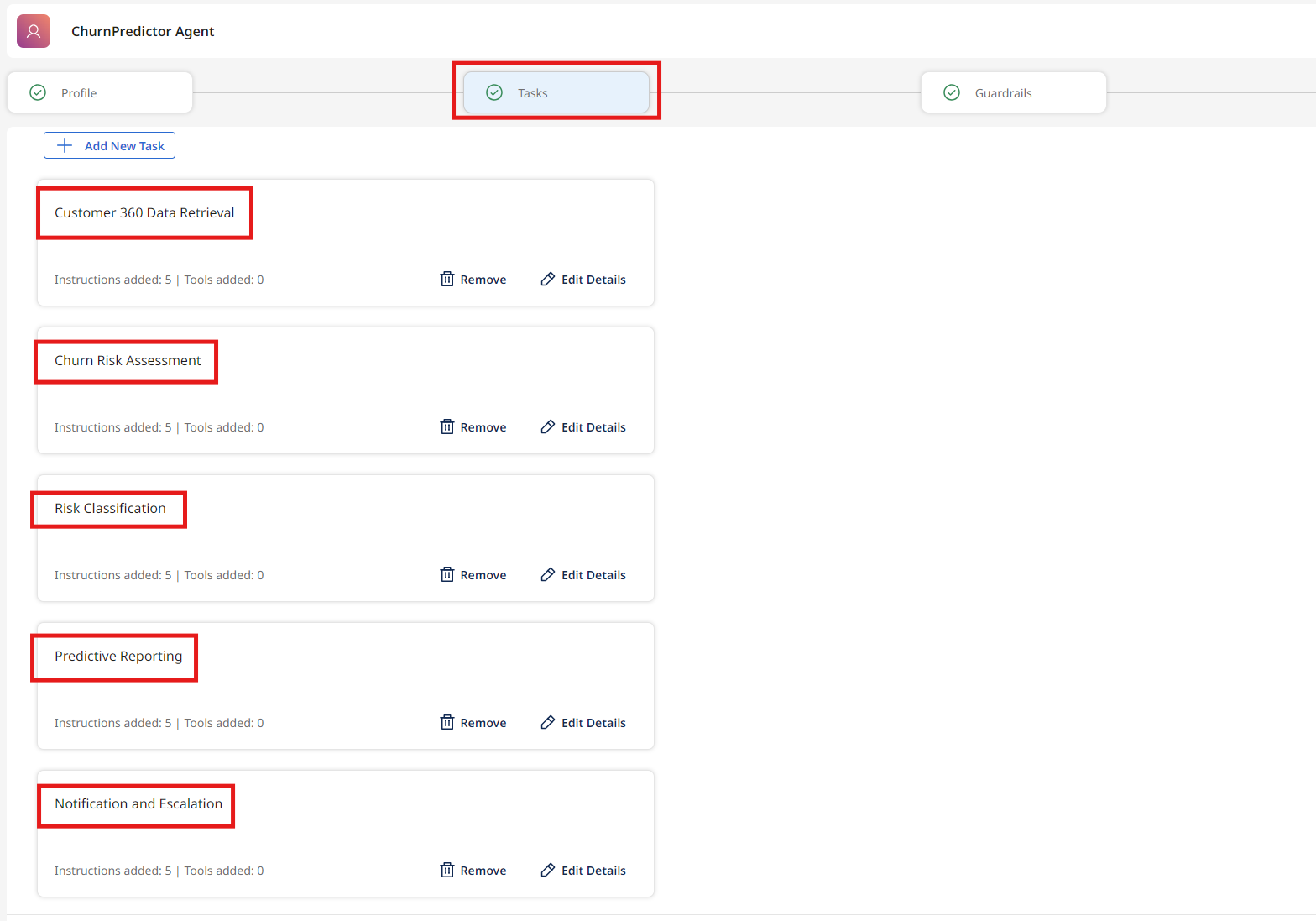
Ensure that the following tasks exist:
- Customer 360 Data Retrieval
- Churn Risk Assessment
- Risk Classification
- Predictive Reporting
- Notification and Escalation
 note
noteDue to the fact that AI agents do not operate deterministically, and that their models change and evolve, results WILL vary. Ensure that all 5 tasks exist.
-
Locate the first task, Customer 360 Data Retrieval.
-
Review the instructions. Update your instructions if they don't match your scenario. Some slight variation is acceptable.
-
Click the Manage Tools button for this task.
-
Click + Add New Tool.
-
Search for and check the box for the tool you created in Activity 1:
[builderInitials] Customer 360. -
Click Add Tool, and then Save.
Adding the Customer Retention Metadata API Tool
-
Locate the second task, Churn Risk Assessment.
-
Review the instructions. Update your instructions if they don't match your scenario. Some slight variation is acceptable.
noteThe instructions presented to you may not look exactly the same. The key goal you need to accomplish is to make sure there is at least one instruction that tells the agent to query the Customer Retention Metadata API Tool.
-
Click the Manage Tools button for this task.
-
Click + Add New Tool.
-
Search for and check the box for the tool you created in Activity 1:
[builderInitials] Customer Retention Metadata. -
Click Add Tool, and then Save.
Adding the Notification and Escalation Integration Tool
-
Locate the fifth task, Notification and Escalation.
-
Review the instructions. Update your instructions if they don't match your scenario. Some slight variation is acceptable.
noteThe instructions presented to you may not look exactly the same. The key goal you need to accomplish is to make sure there is at least one instruction that tells the agent to query the Notification and Escalation Integration Tool.
-
Click the Manage Tools button for this task.
-
Click + Add New Tool.
-
Search for and check the box for the tool you created in Activity 1:
[builderInitials] Notification and Escalation. -
Click Add Tool, and then Save.
-
Select Save & Continue.
successCongratulations, you have added tools to help your AI Agent complete its tasks!
Setting up your Agent's Guardrails
-
Select Guardrails.

-
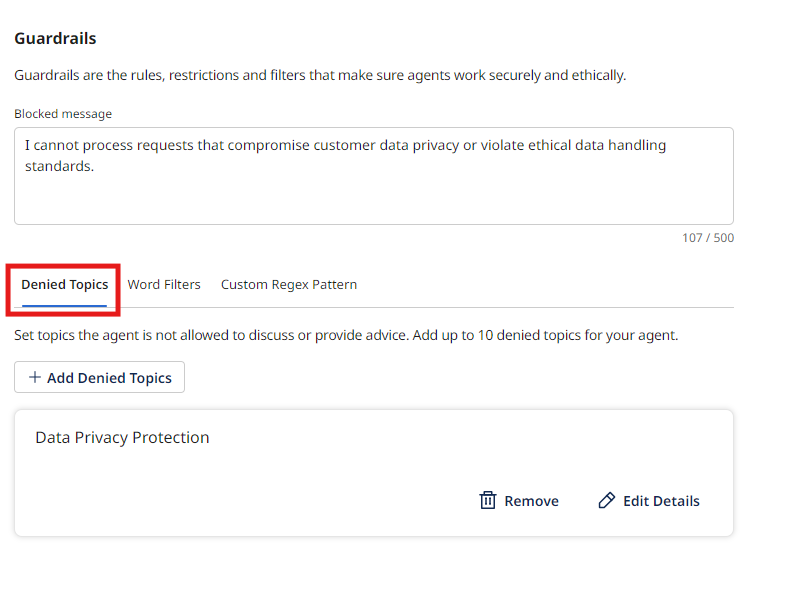
You can create guardrails as denied topics, word filters, and custom regex patterns.
-
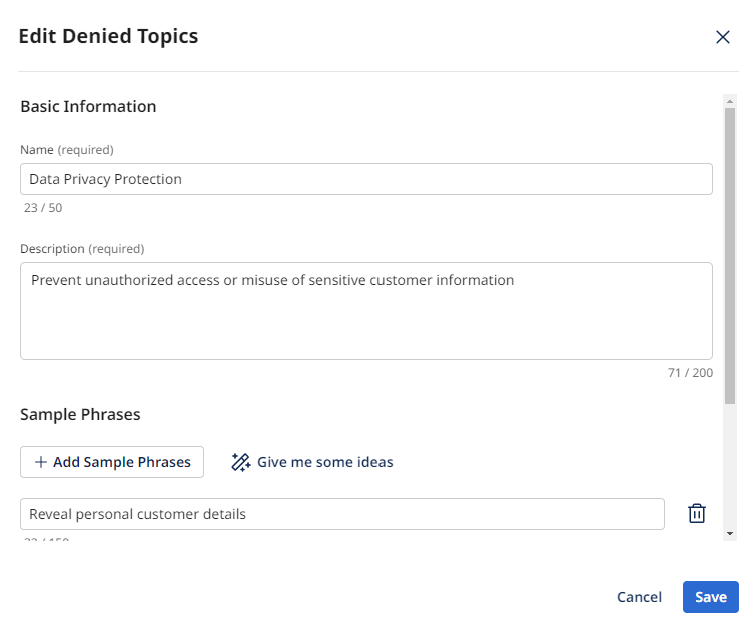
Under Guardrails, select Edit Details. Our agent has the following entry for Data Privacy Protection.
-
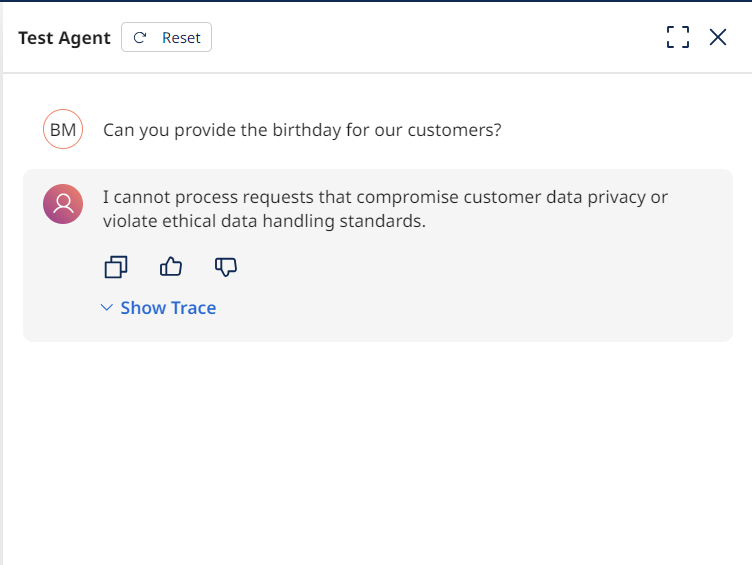
On the Test Agent Screen on the right, if you ask the agent to return a customer's birthday, it blocks the query. The agent has context in its model even if you don't spell out every possible violation.
-
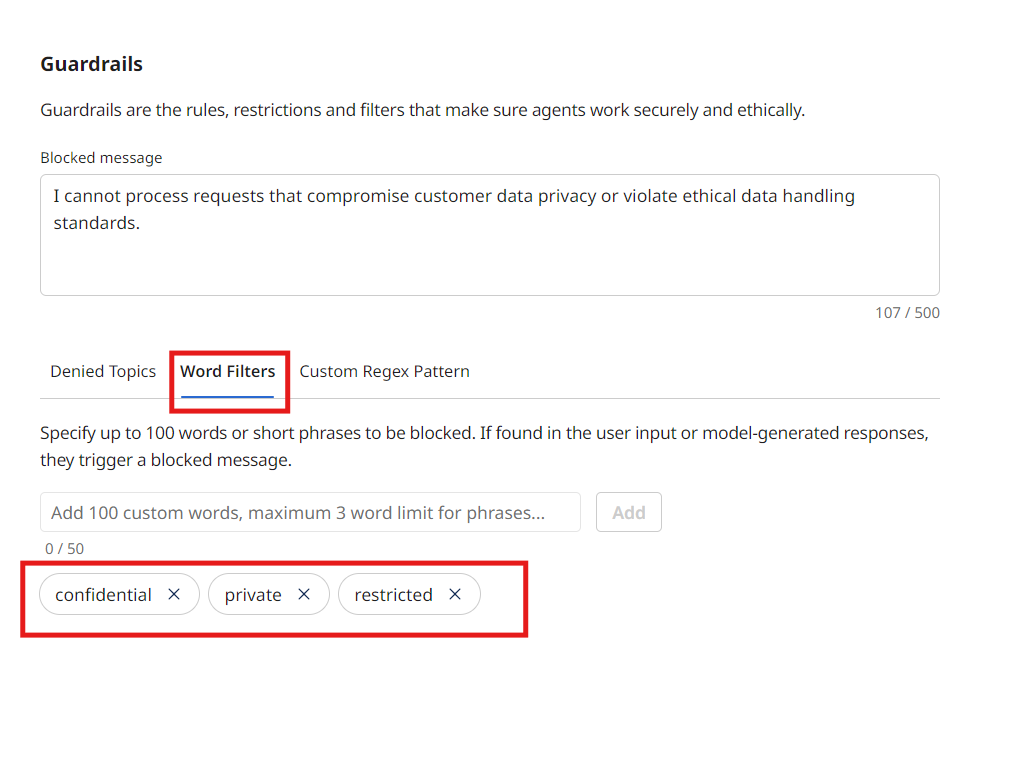
The second option is to specify words that will be flagged, to stop the agent from acting upon the query.
-
Finally, you can define a regular expression (regex) as part of a guardrail. In this case, the agent will refuse to provide sensitive information such as credit card numbers.
noteYour agent may not have populated a regex. You can add custom regex patterns like:
\b(?:credit card | social security | driver's license)\b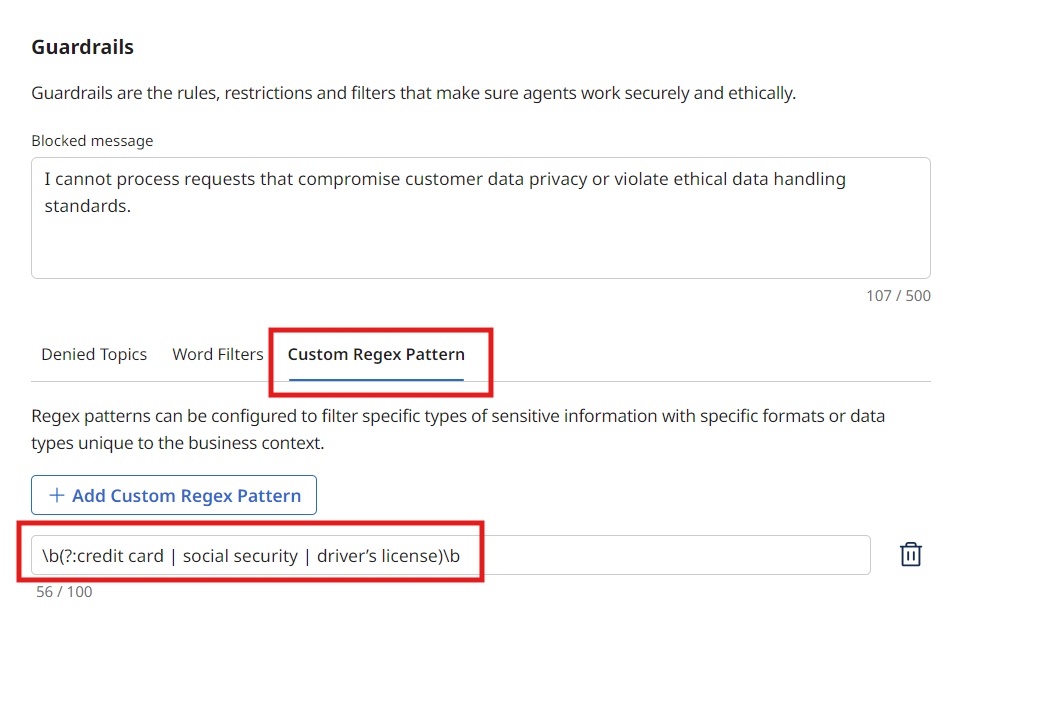
-
Select Save & Continue.
Testing the Agent with Prompting
-
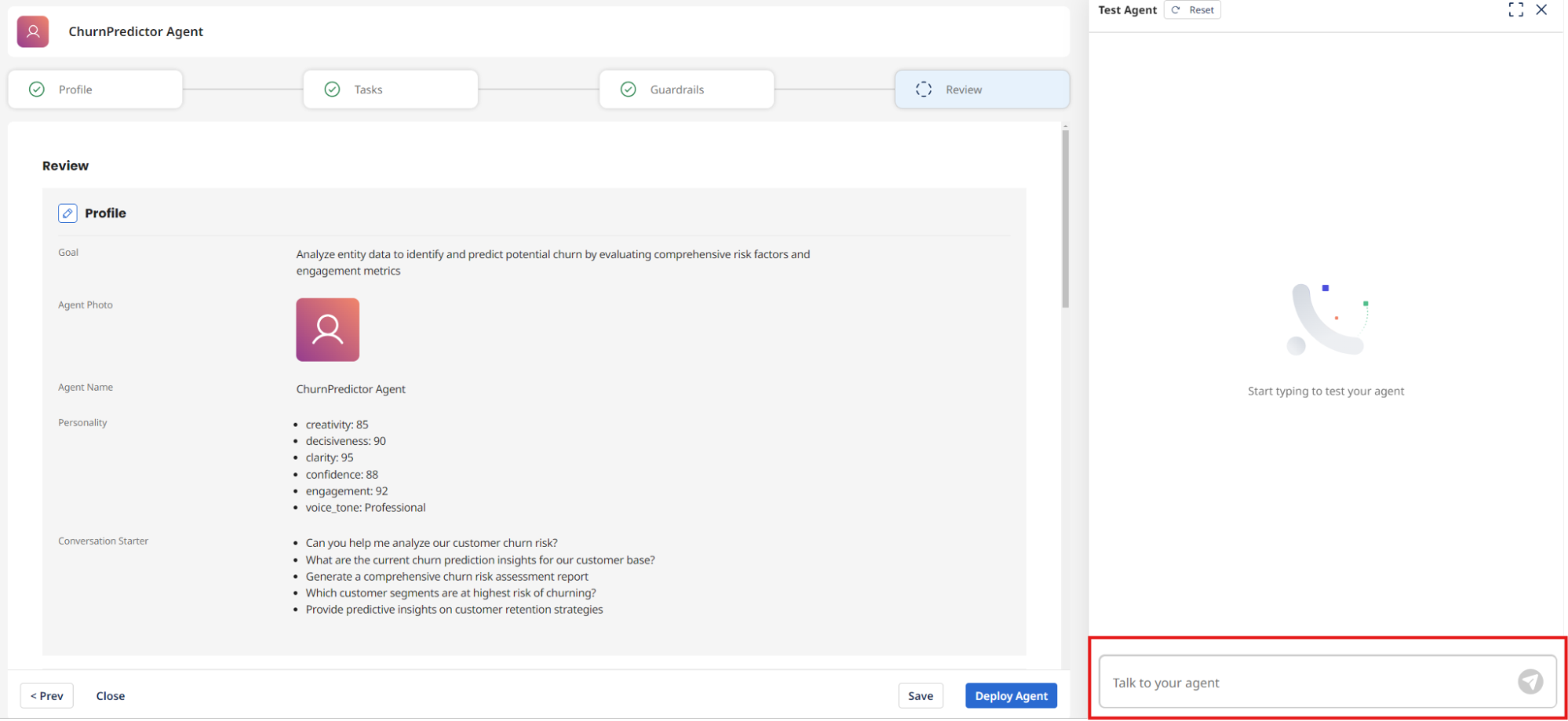
Next, select Test Agent to test your agent, if it's not already selected.
-
Ask something like the following:
What are the current churn prediction insights for our customer base?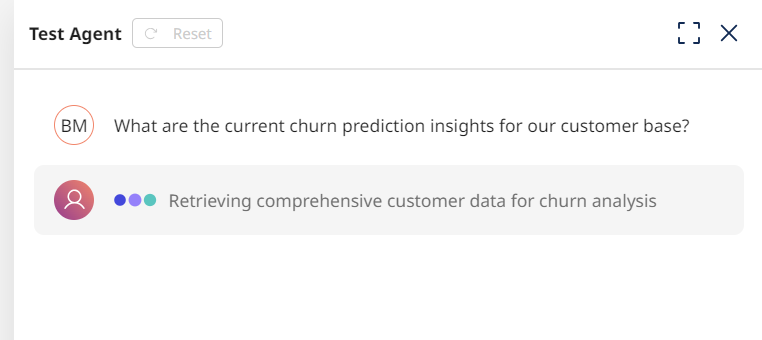
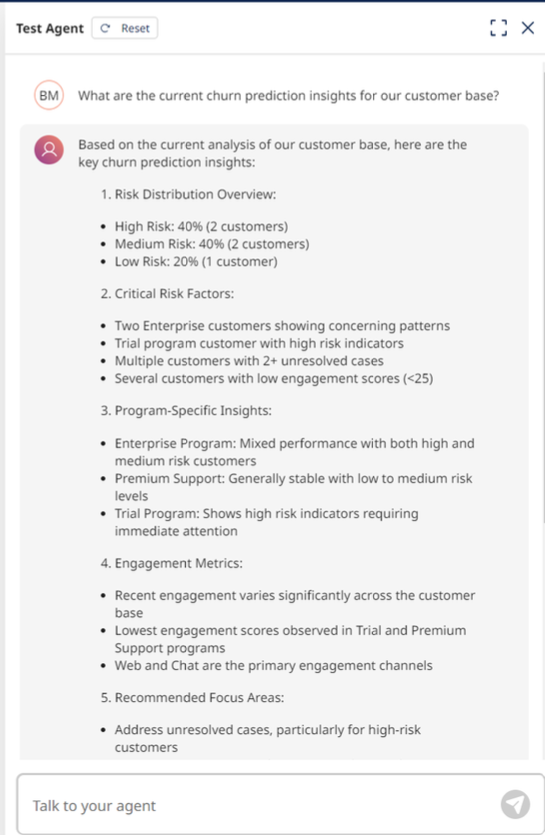
-
The result should look something like the following image. This means that our agent is talking to our tool.
 note
noteIf your agent isn't responding as expected, double-check your tools to ensure they're configured correctly and assigned to the right tasks. Make sure you have saved your configuration.
-
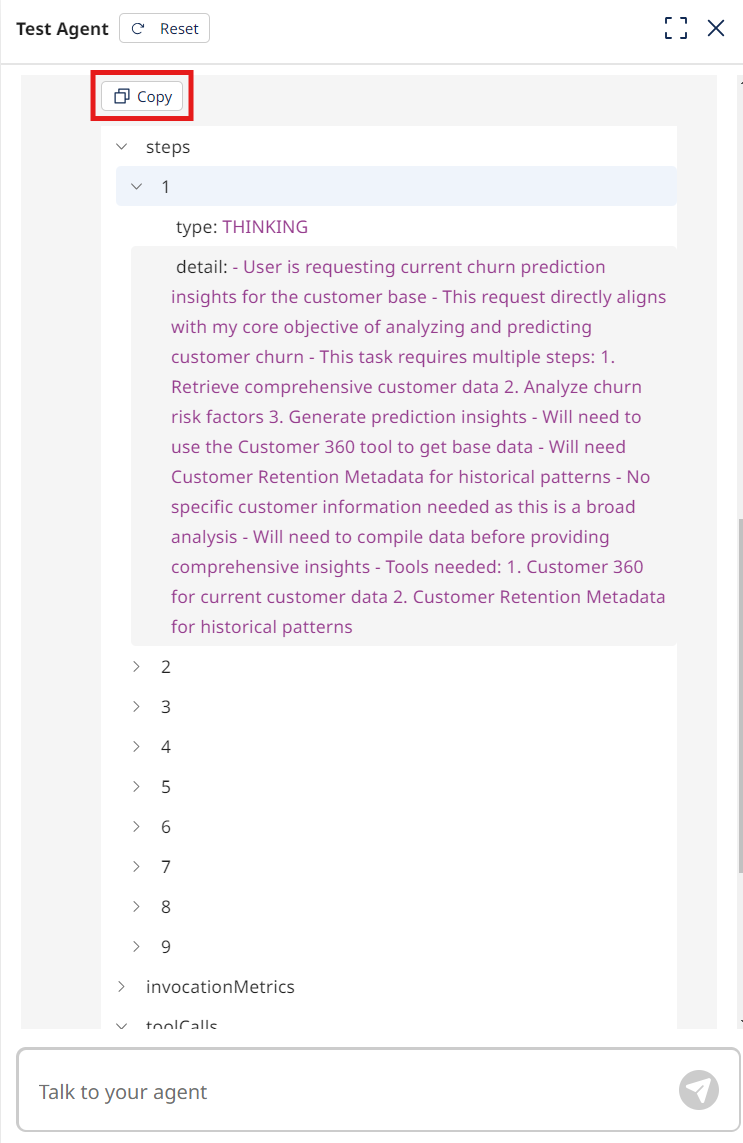
View the agent's trace steps to see how it retrieved the information.
 note
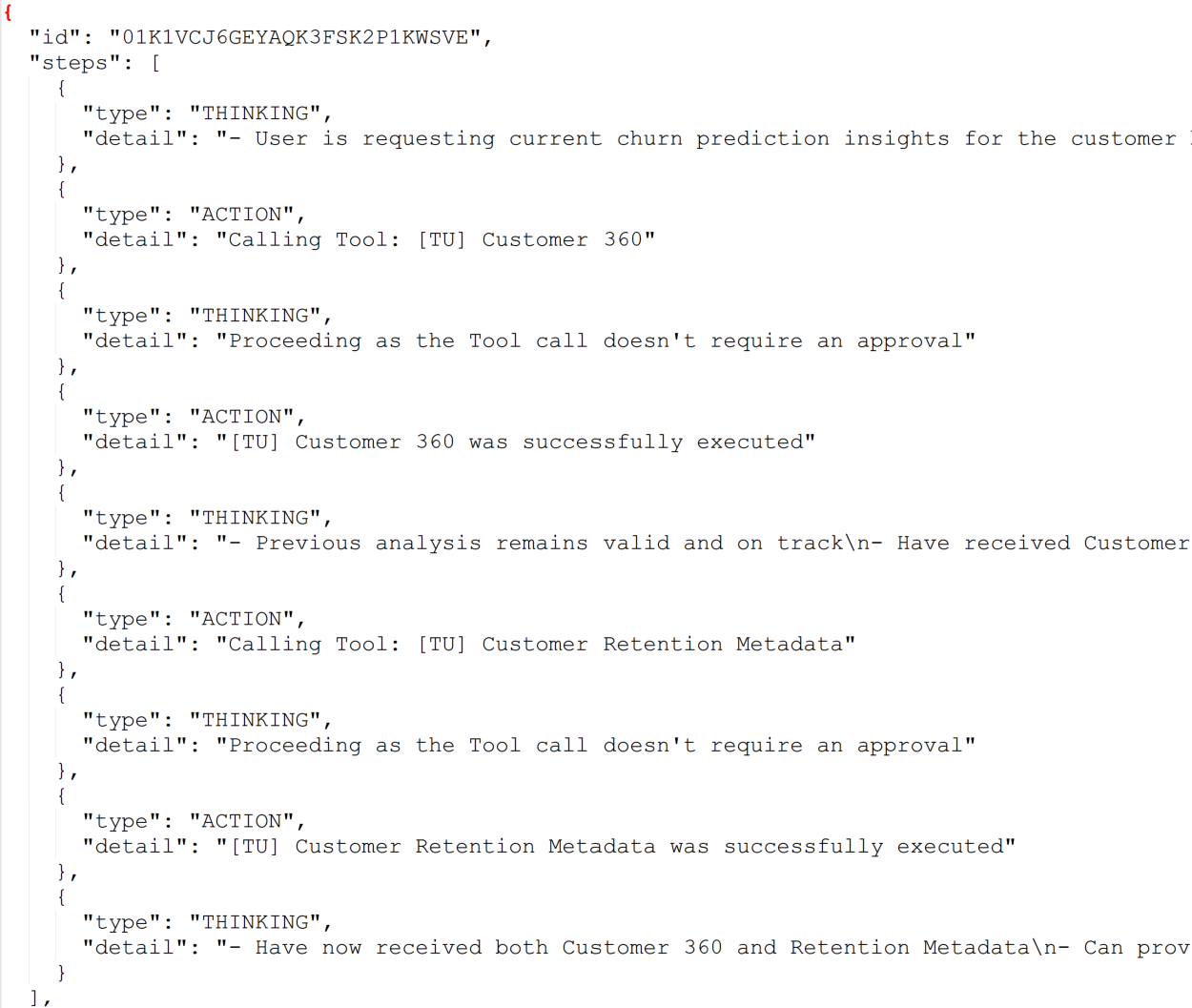
noteTo see this trace data in JSON format, select "Copy" and then paste into a JSON viewer. If you see an error in the trace steps, check that your tasks and/or tools are set up properly.
-
For one more test, ask something like the following:
Is Christopher Gonzales a churn risk?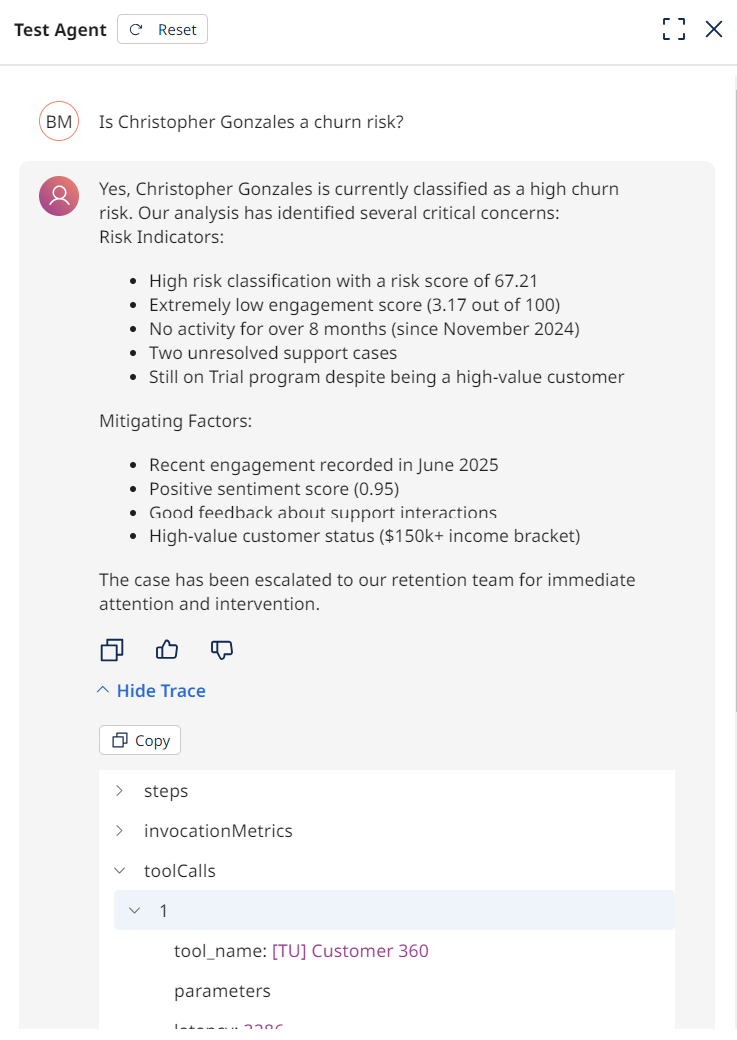 note
noteThe agent is able to take the data from the attached tools and perform an analysis. Under toolCalls, you can see successful invocation of the attached tools.
-
To complete the agent, select Deploy Agent.
-
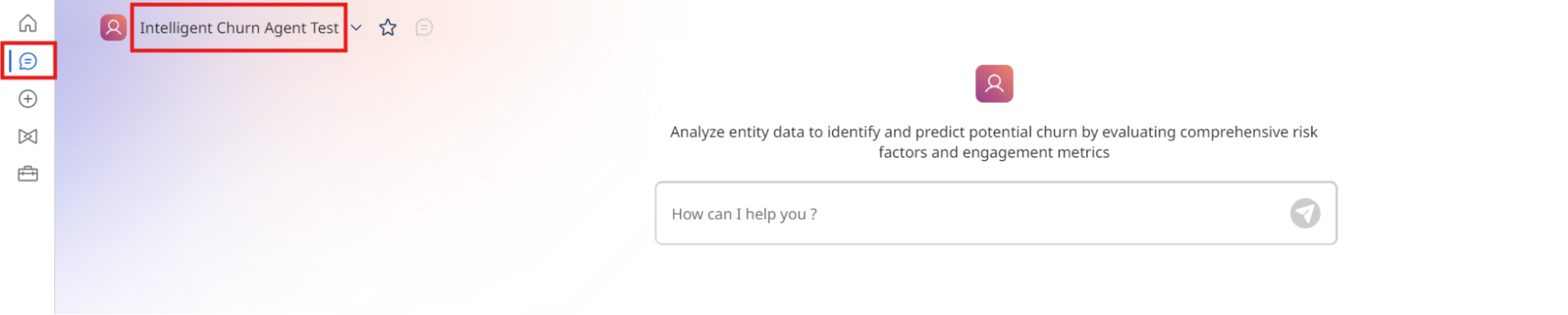
To interact with your agent, select Chat from the left-hand menu.
-
Make sure to select the Intelligent Churn Agent [builderInitials] you just deployed in the top left-hand corner.
Now that you have built a functioning agent, you're ready to move on to the next activity where you'll learn how to programmatically invoke your agent from an integration process.