Activity 3: Agent Step
Now that there is a working AI Agent, Retentix would like you to build an integration process to programmatically invoke the Intelligent Churn Detection AI Agent using Boomi's integration tools. You'll begin by designing a simple integration flow that accepts incoming requests. From there, you'll configure the process to pass input data into the AI Agent, invoke it programmatically, and handle the agent's response. You will also implement basic logging, error handling, and response formatting to simulate a real-world, production-ready interaction. This lab highlights how AI Agents can be embedded as callable components in broader workflows, enabling event-driven decision-making and automation across your enterprise architecture.
In this activity, you will complete the following:
- Creating a Platform API Token
- Invoke the AI Agent Programmatically
Creating a Platform API Token
Before you can programmatically invoke your AI Agent from an integration process, you need to create a Platform API Token. This token authenticates your integration with the Boomi platform and enables secure communication with your deployed agent.
Treat your Platform API Token with the same level of security as a password. Store it securely and never share it publicly or commit it to version control systems.
-
Log in to your Boomi platform account.
-
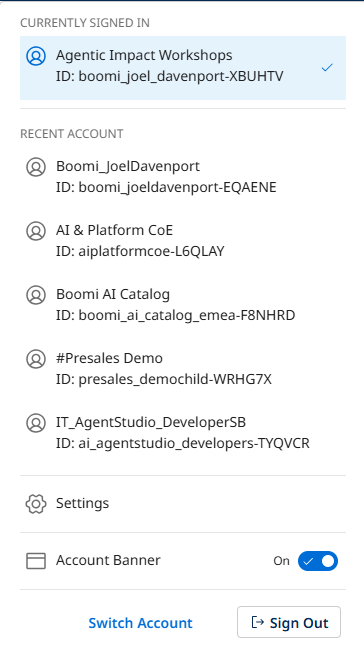
Click on your platform ID in the top right corner and navigate to Settings.
-
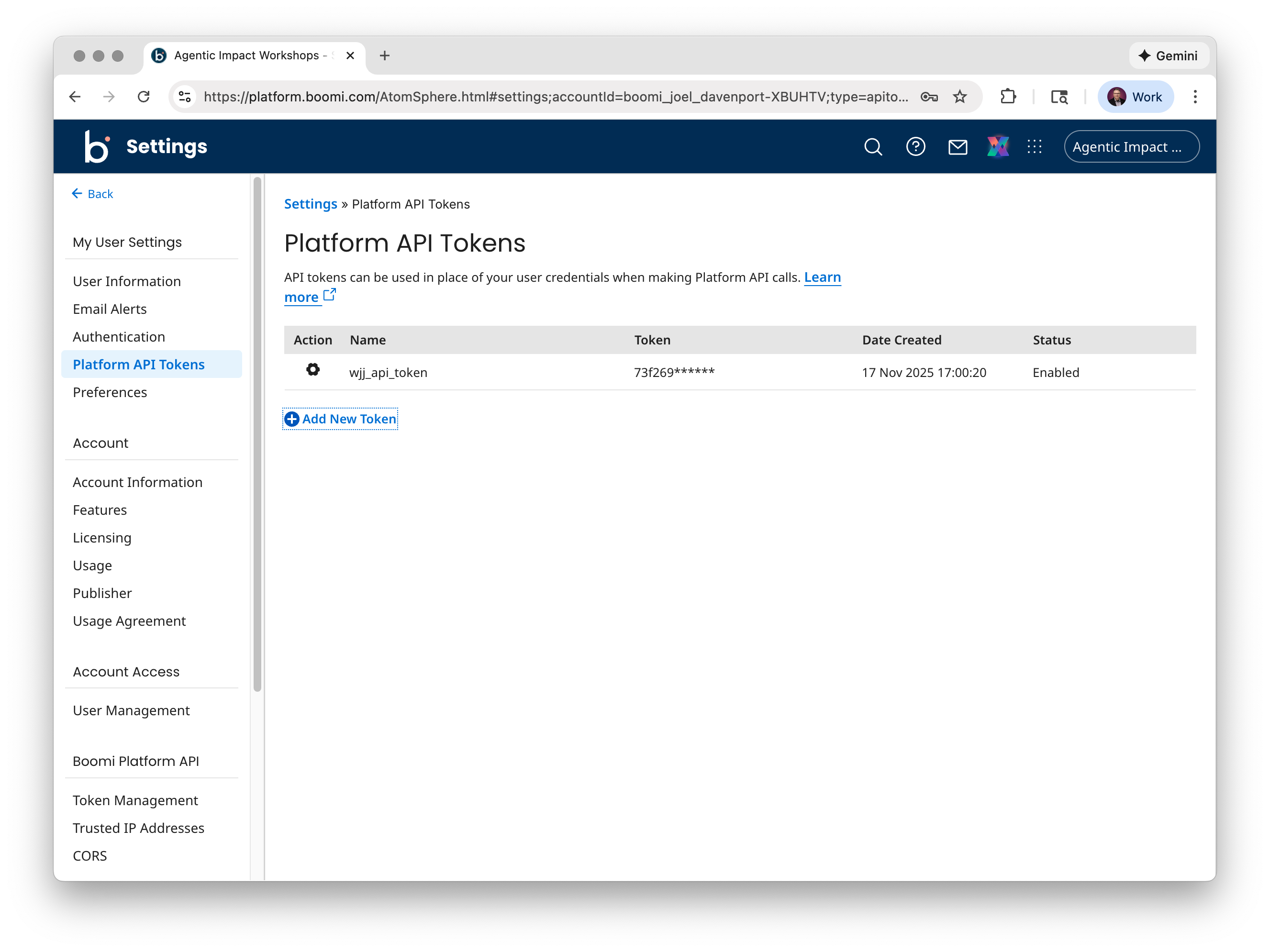
From the left-hand menu, under User Settings, click Platform API Tokens.
-
Click Add New Token.
-
Enter a name for your new token (e.g.,
Intelligent Churn Agent Token) and click Generate Token.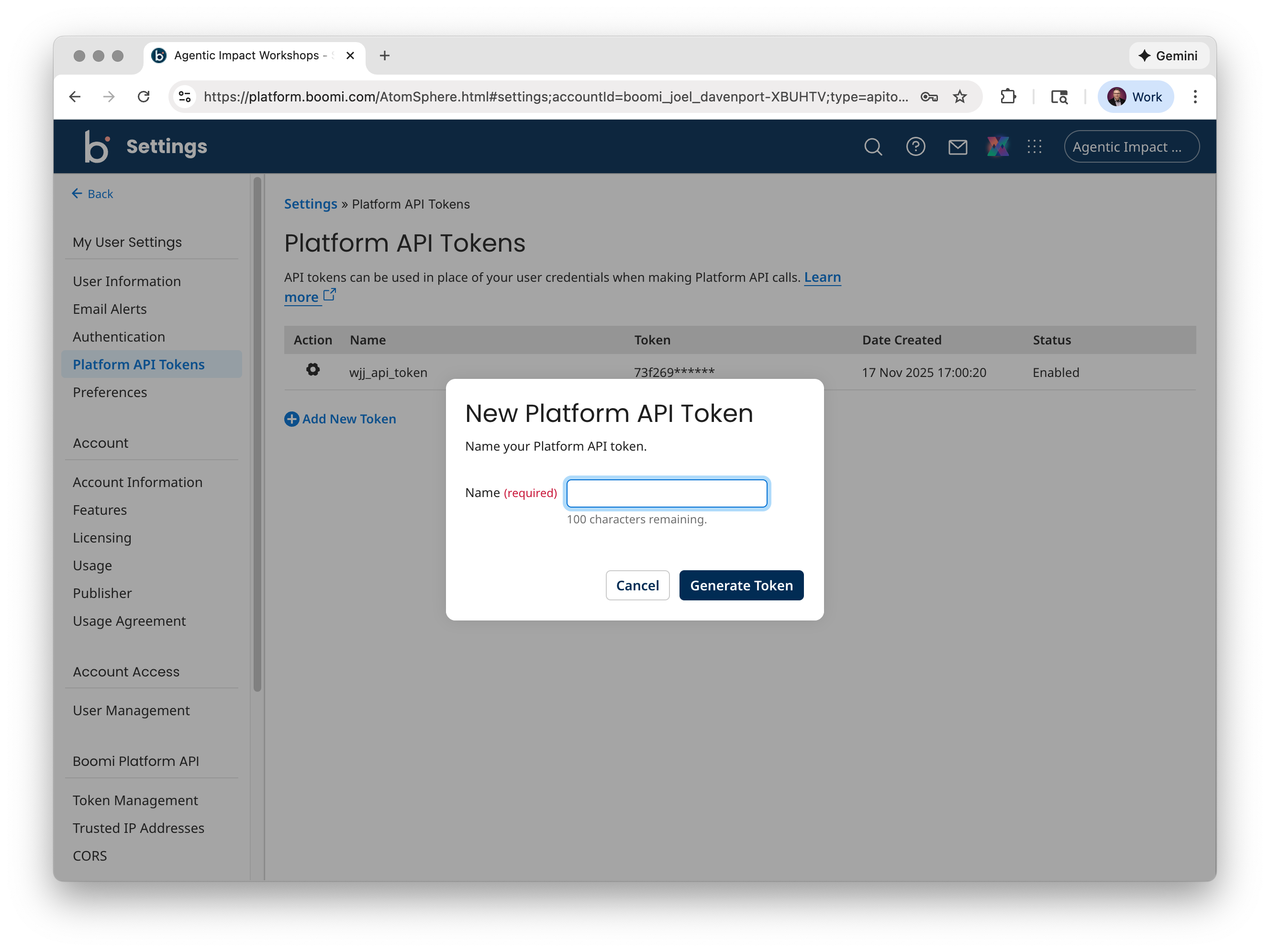 Token Name Requirements
Each token must have a unique name with a maximum of 100 characters.
-
Once generated, copy the token to your clipboard using one of the following methods:
- Click the Copy to Clipboard icon to copy the token string without exiting.
- Click the Copy to Clipboard & Close button to copy the token string and exit the dialog.
-
Store your new API token in a secure location, treating it with the same level of security as a password.
Save Your TokenMake sure to copy and save your token immediately. For security reasons, you won't be able to view the full token value again after closing the dialog. If you lose your token, you'll need to generate a new one.
-
Your new token is now generated and can be viewed on the Platform API Tokens page.
You now have a Platform API Token that you'll use to authenticate your integration process when invoking your AI Agent programmatically.
Invoke the AI Agent Programmatically
-
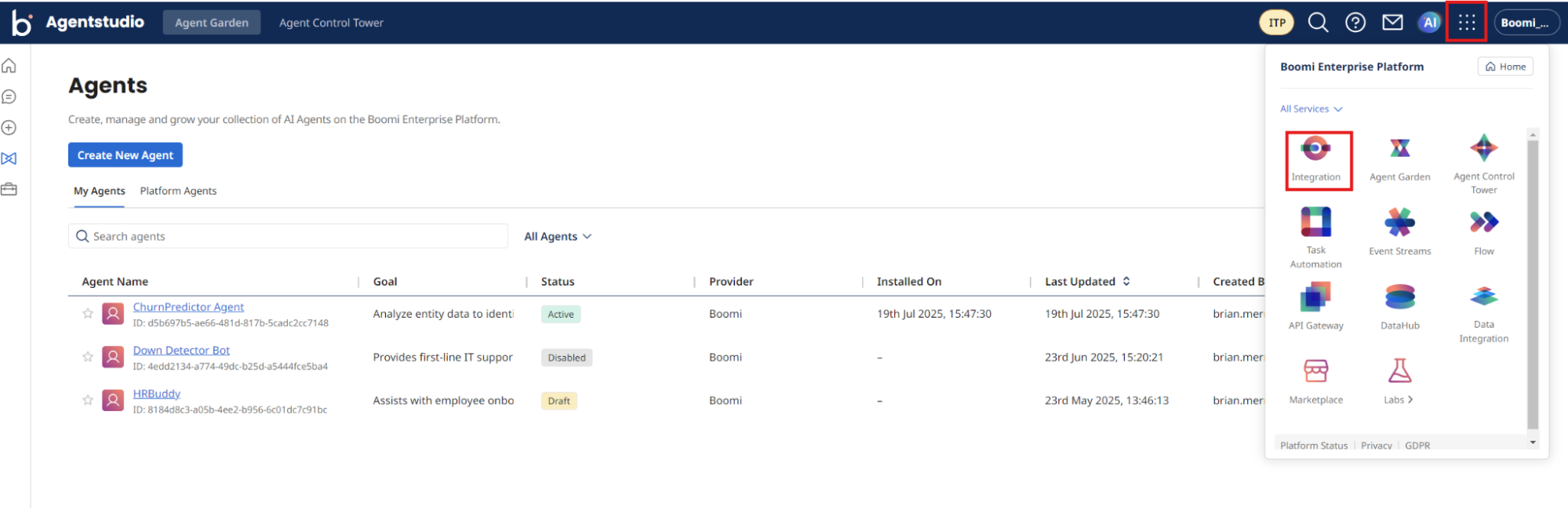
Return to Boomi Integration by navigating to Integration under the menu next to the AI icon.
-
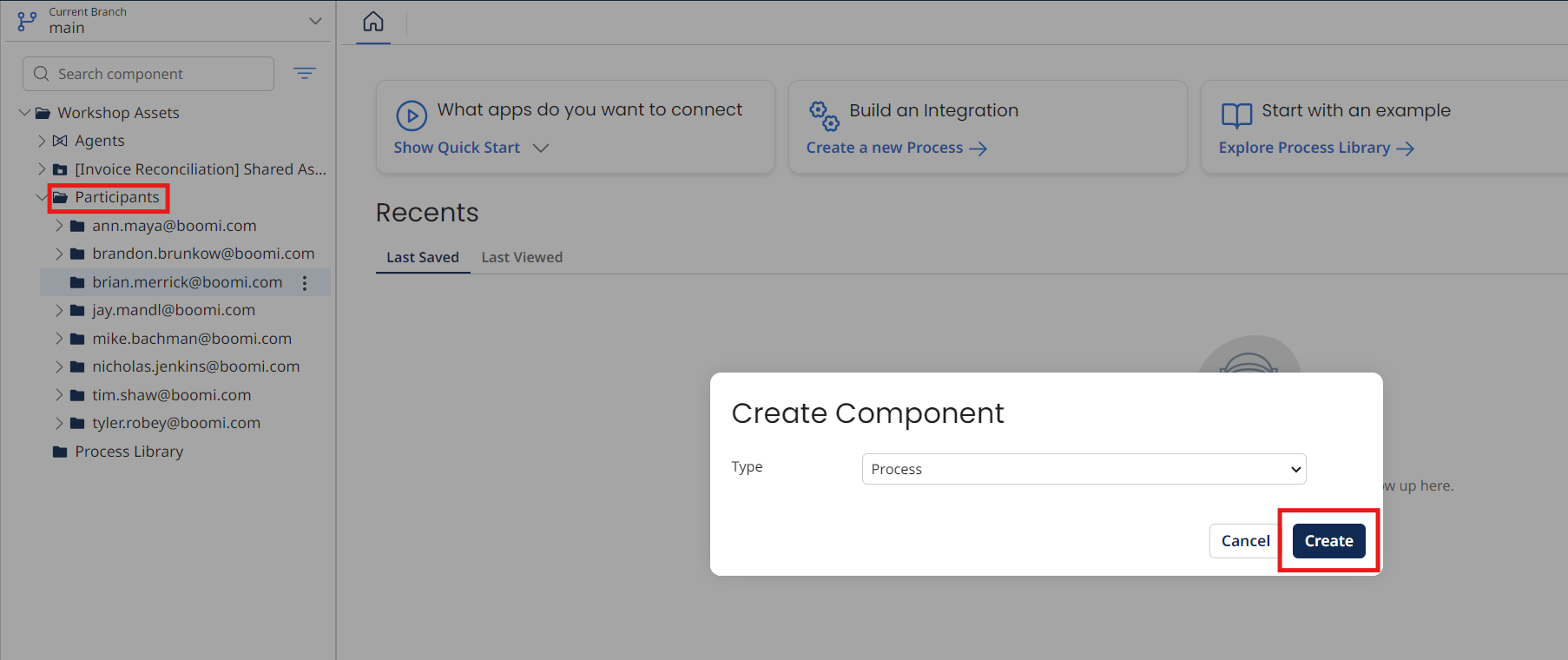
Locate the folder with your email under Workshop Assets → Participants.
-
Select the three dots to the right of the folder name and select New Component → Process → Create.
-
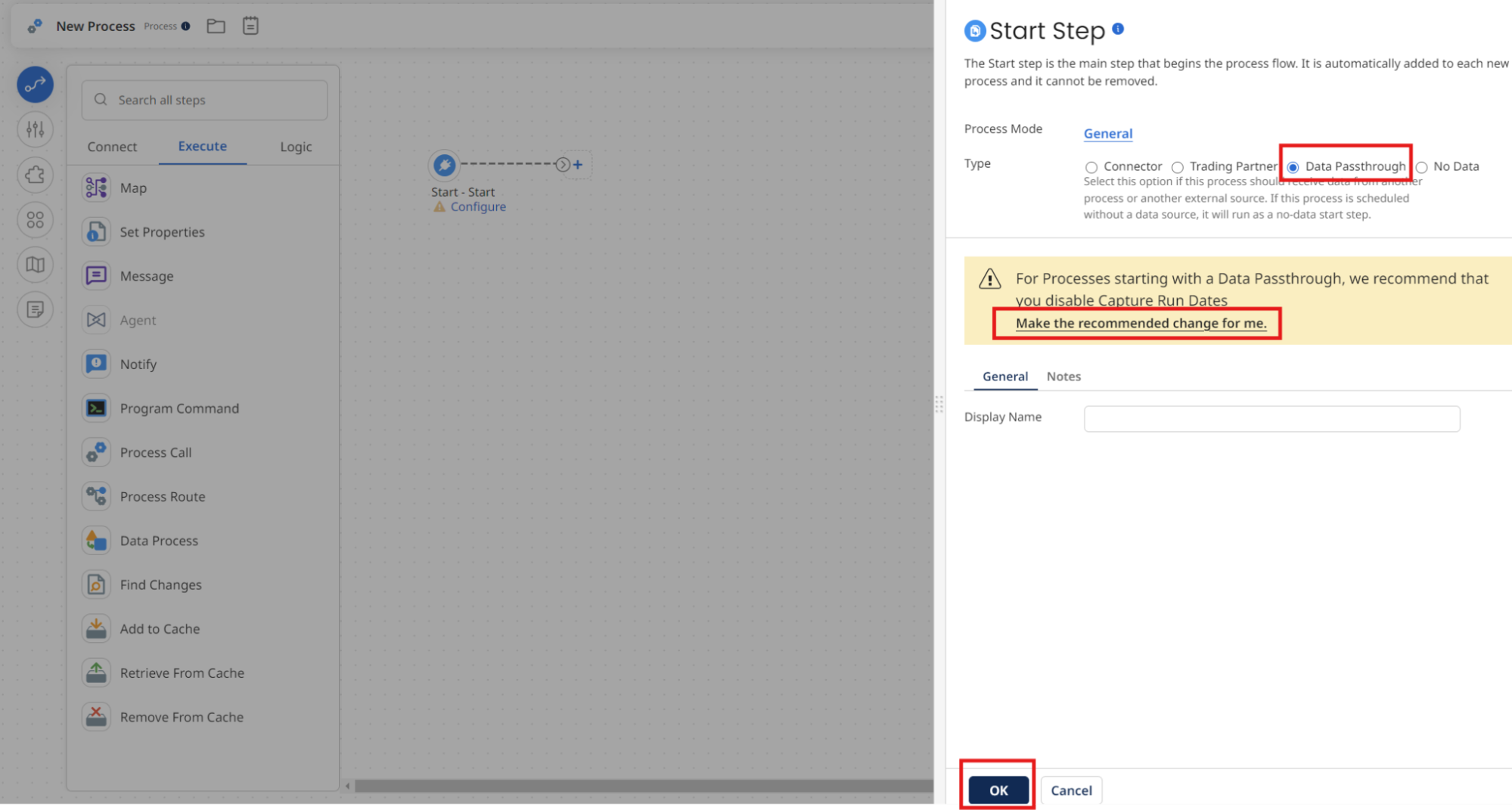
Choose Data Passthrough as the Type and Make the recommended changes for me link. Select OK to close the dialog.
-
Select the + icon and search for
message.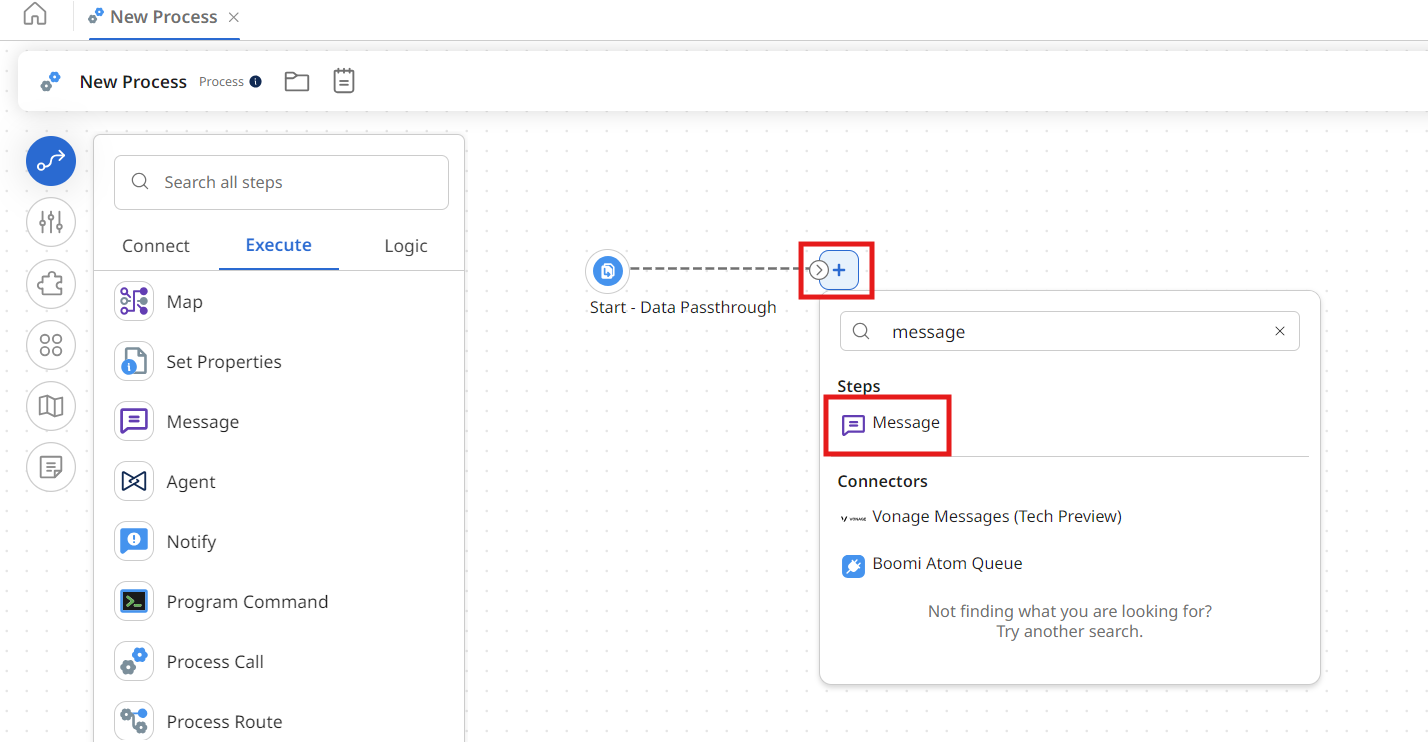
-
Select the Message shape and enter the following text:
Is Christopher Gonzales a churn risk? Return the response as a JSON profile with an emphasis on if they are high, medium or low risk.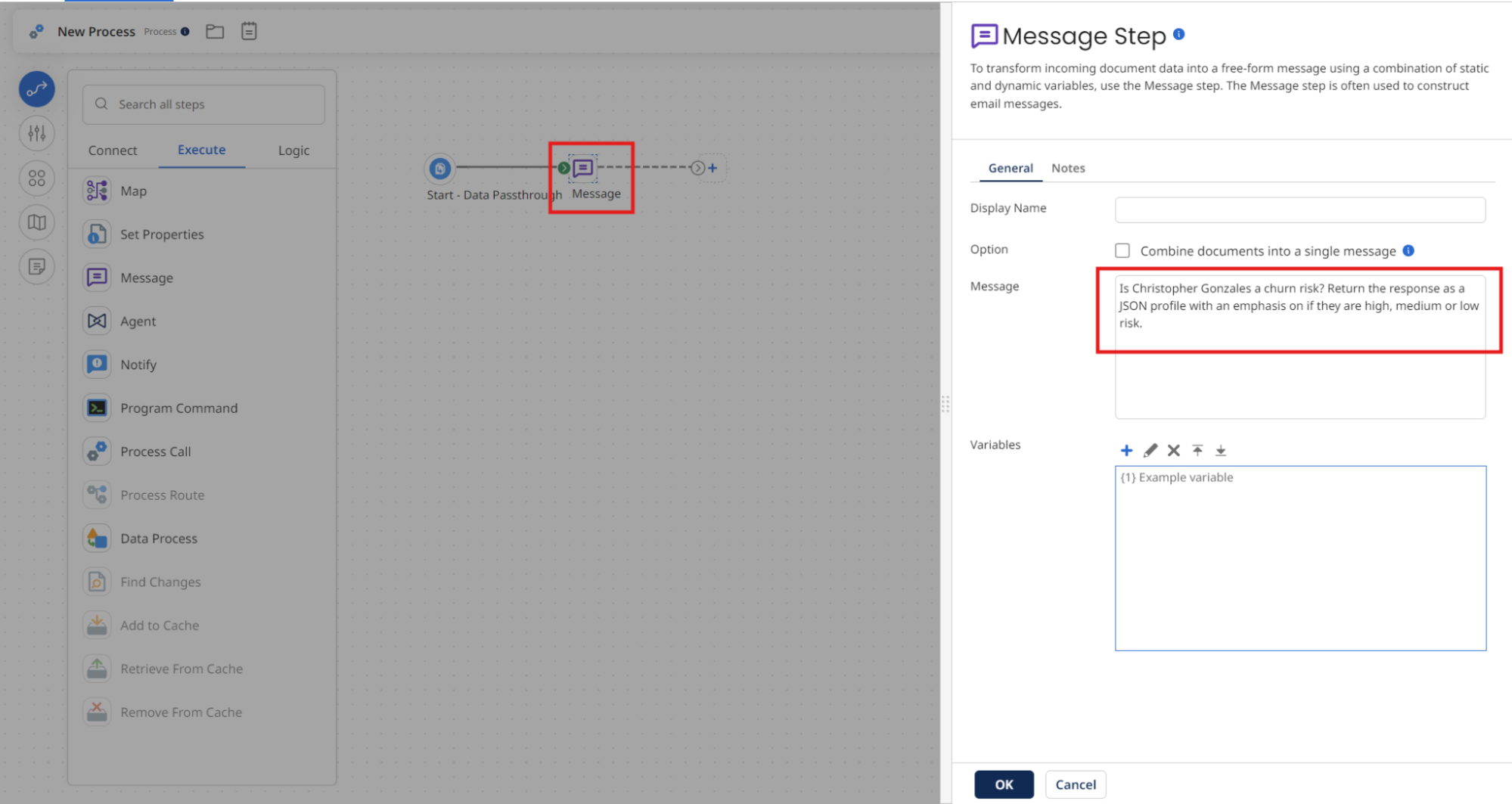
-
Select OK.
Configure the Agent Step
-
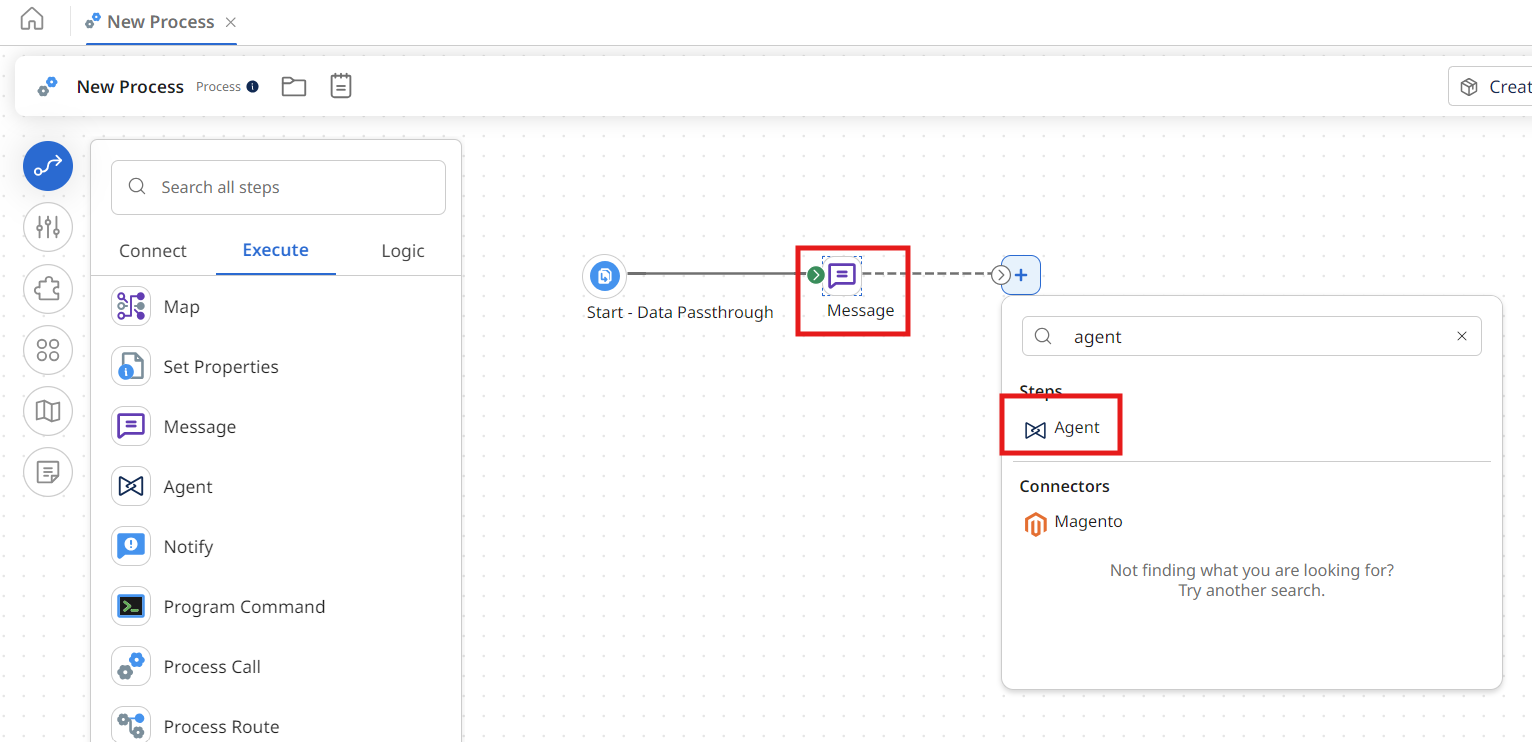
Select the + icon and search for
agent. -
Select the Agent icon.
-
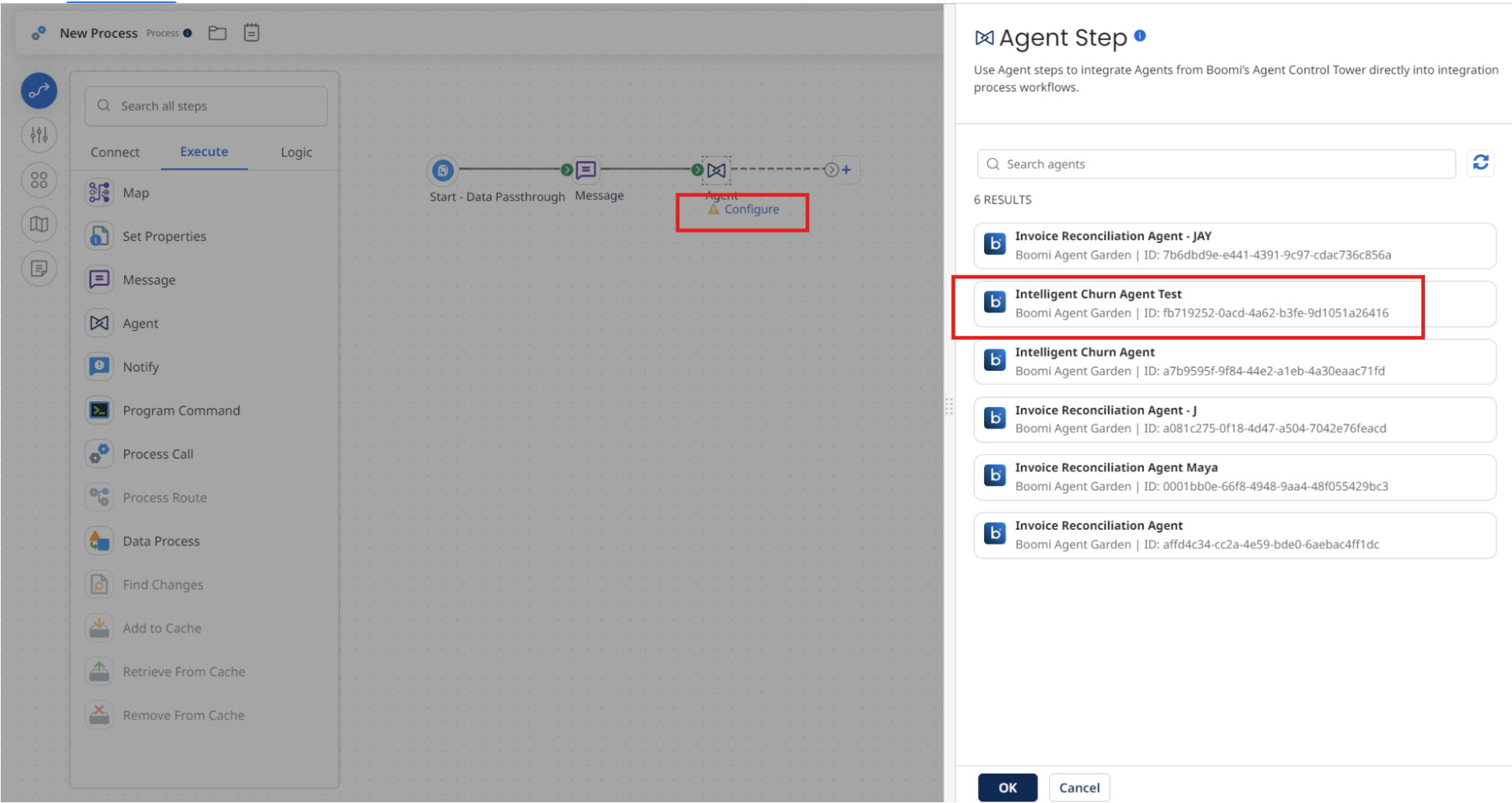
Select Configure under the Agent step.
-
Select Intelligent Churn Agent [builderInitials].
-
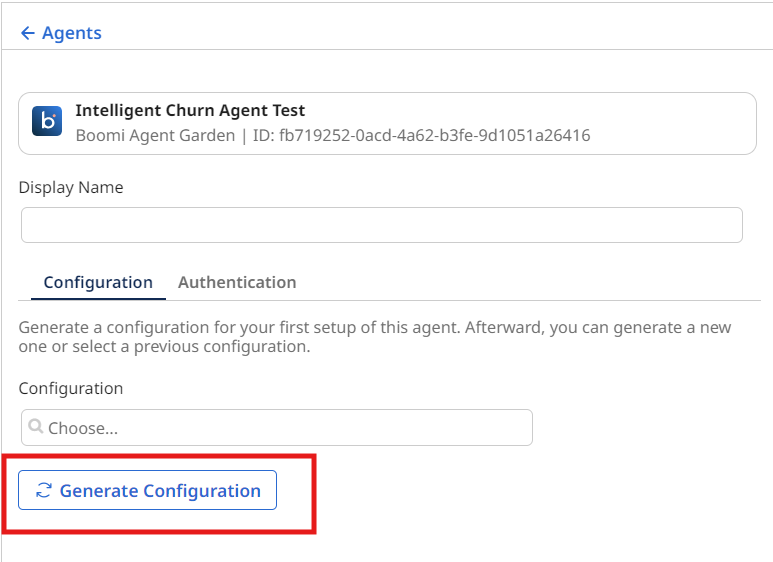
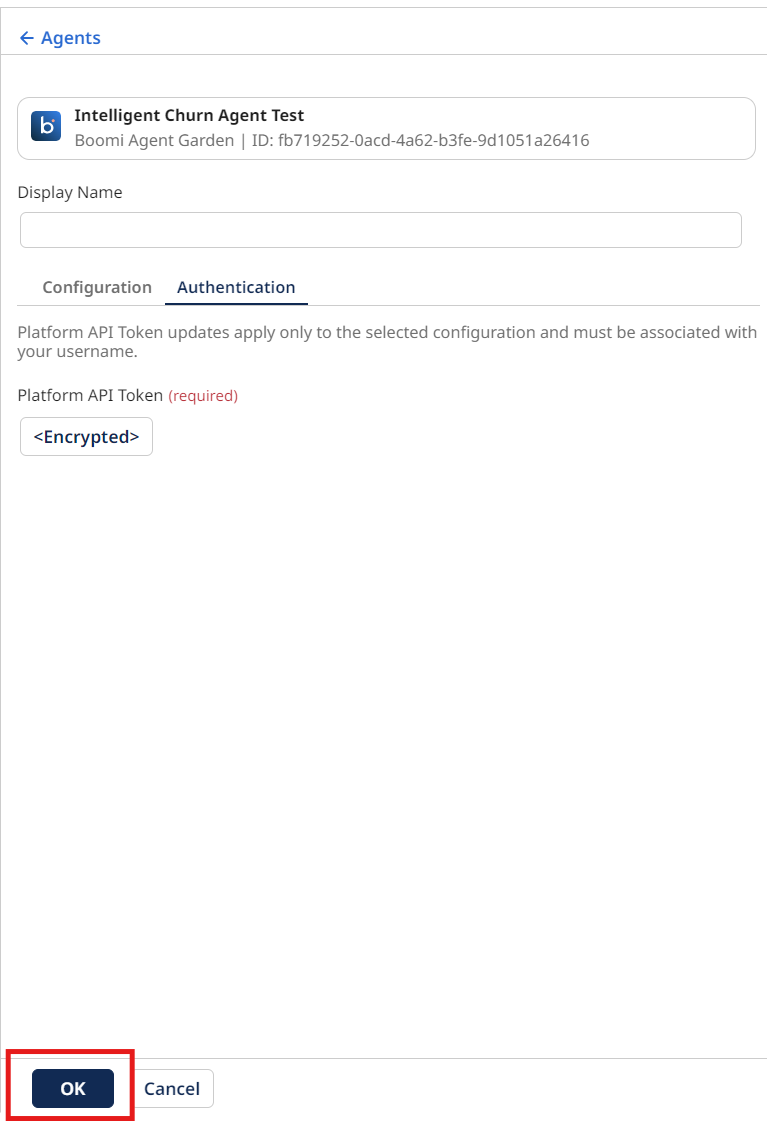
Select Generate Configuration.
-
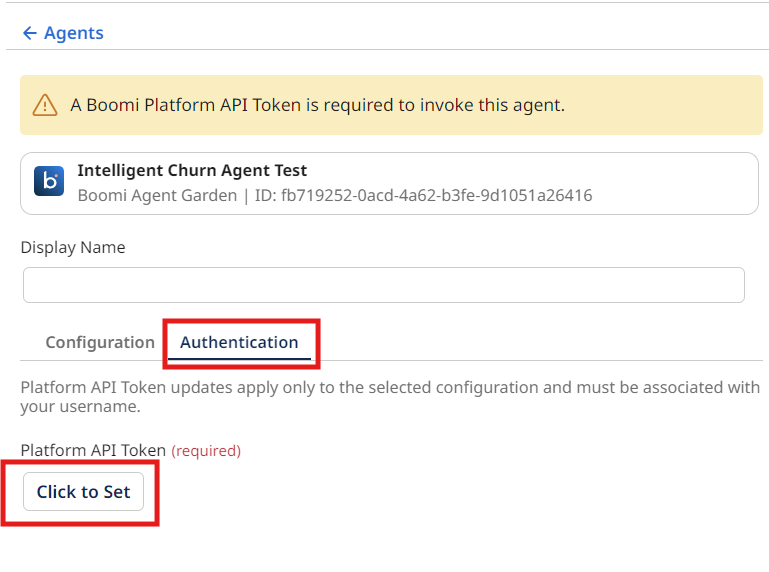
Select the Authentication tab to enter the Platform API Key from the:
- Platform API Token: Paste the token you created at the beginning of this section.
-
Select OK.
-
Add a Stop step to the end of the canvas and rename the process
Agentstudio Agent Step.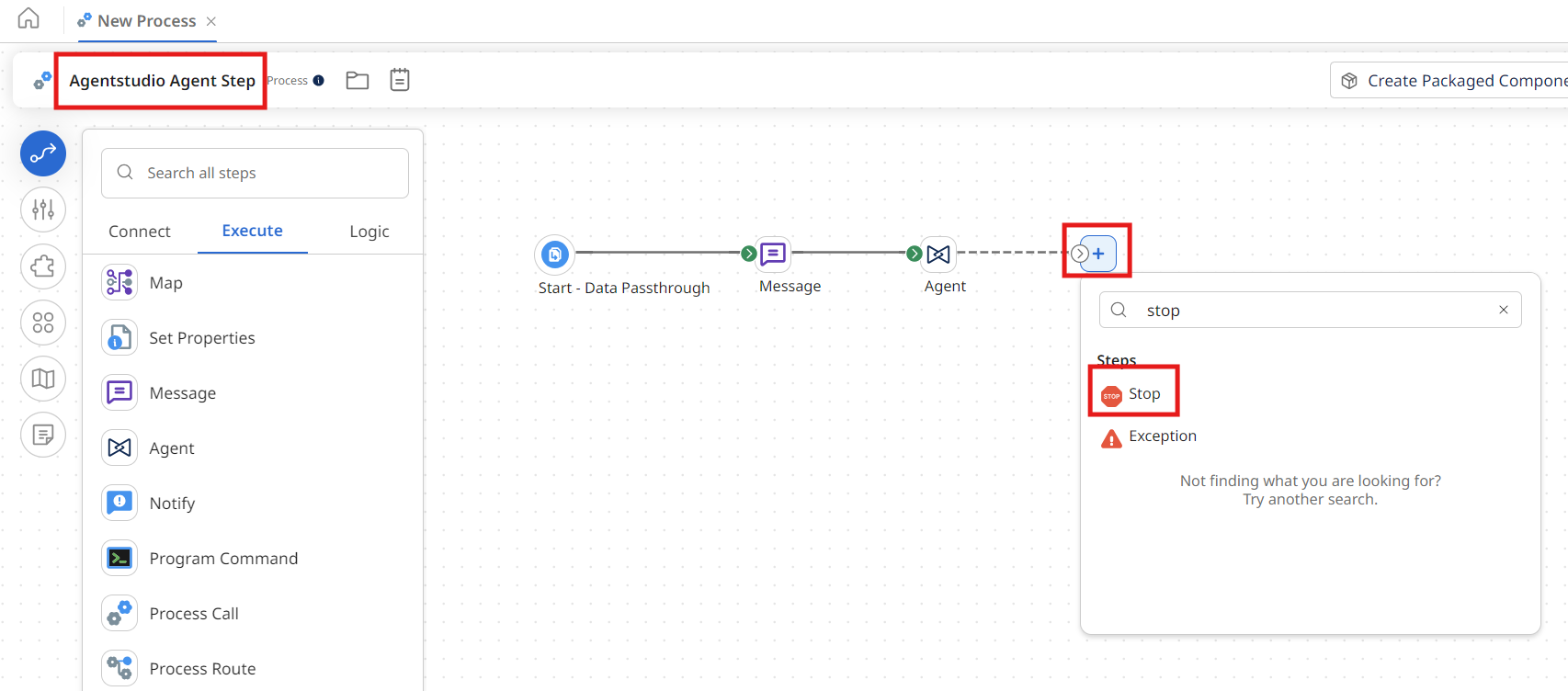
-
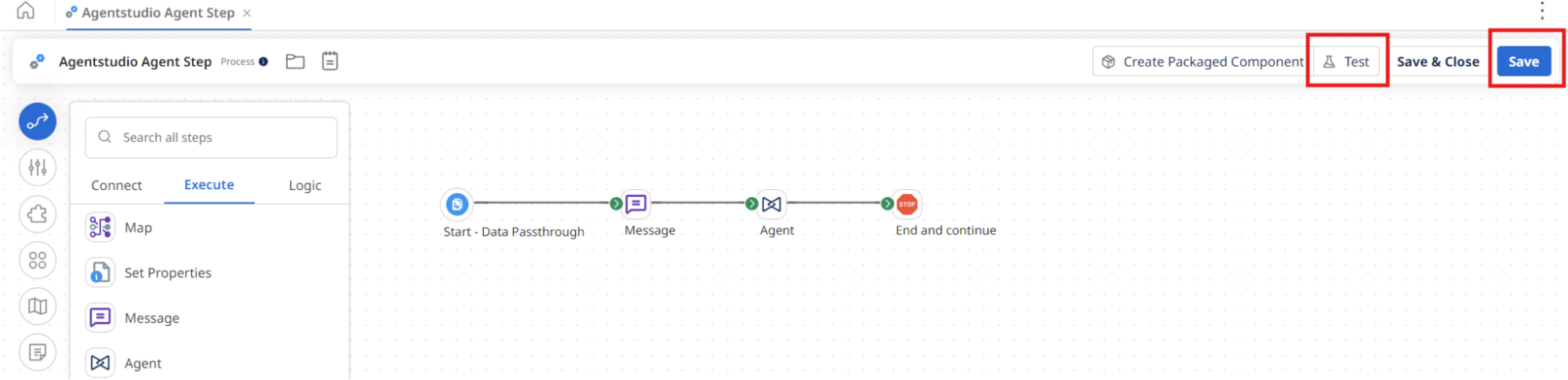
Select Save on the canvas.
Test the Process
-
Select Test.
-
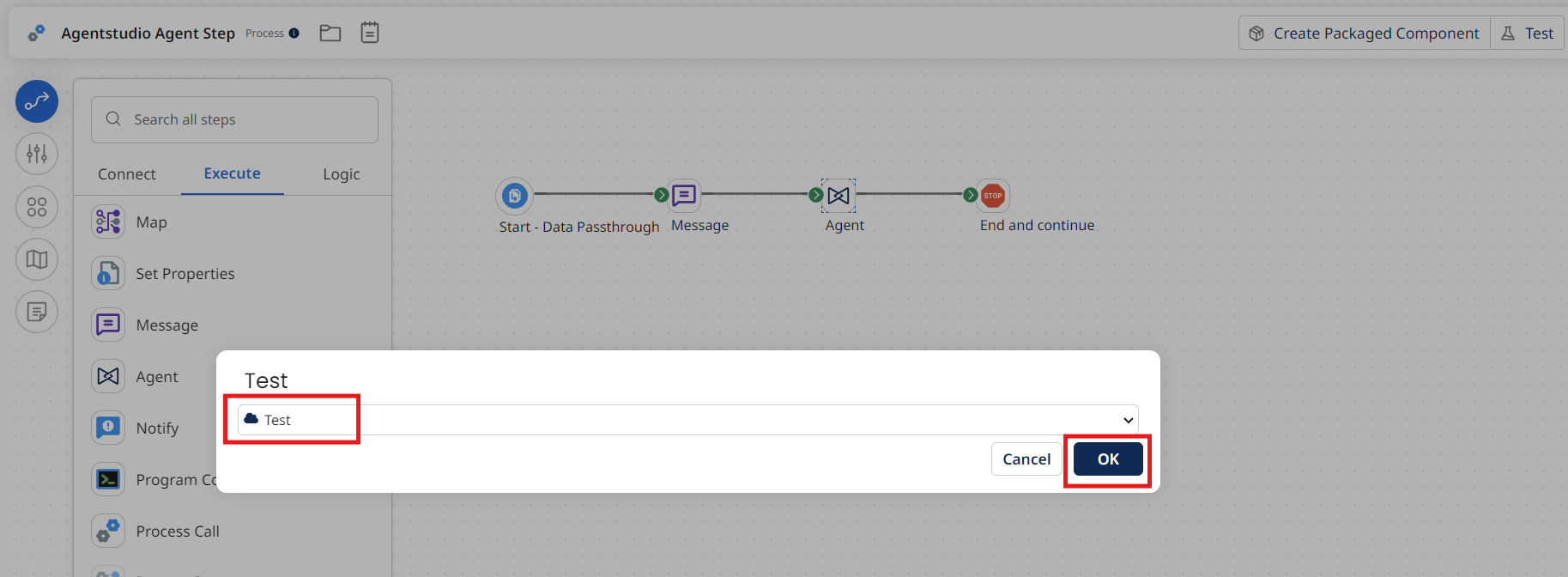
Select the Test runtime from the beginning of the lab.
-
Select OK.
-
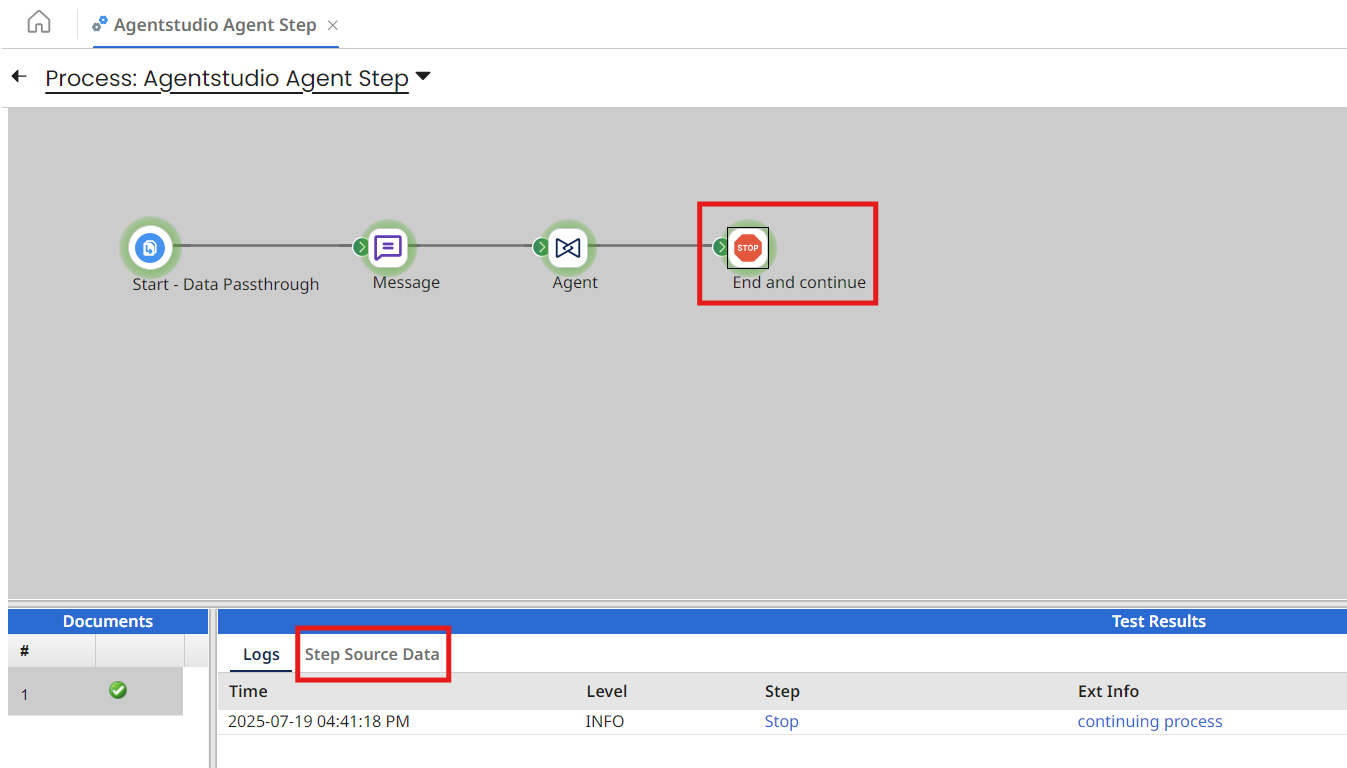
Wait for the process to complete execution and select the Stop step.
-
Select Step Source Data.
-
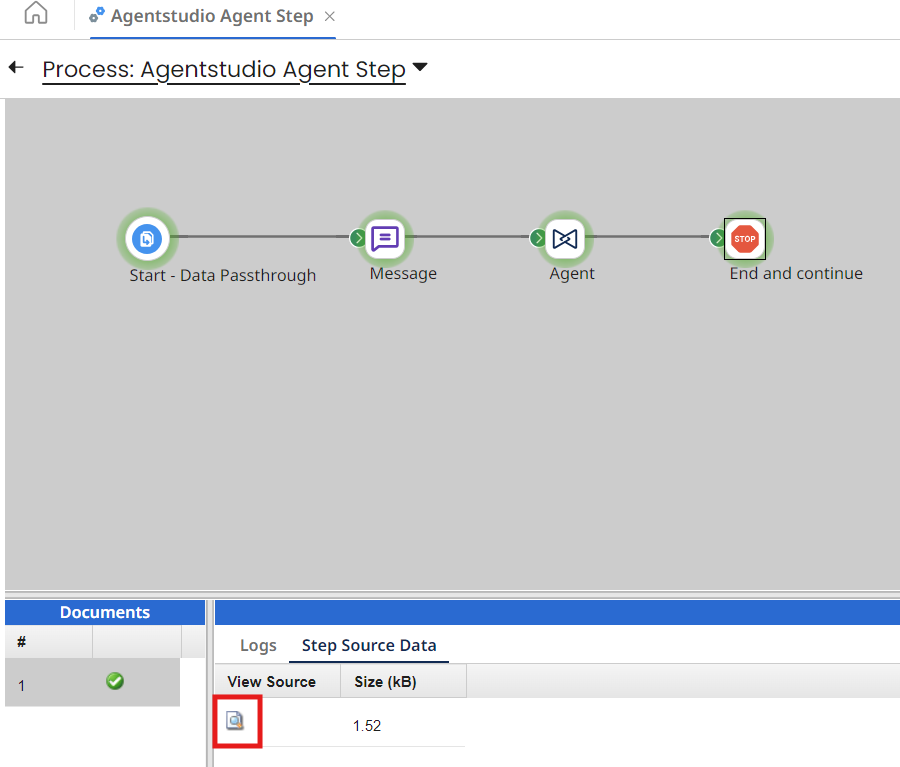
Select the paper icon to view the results.
-
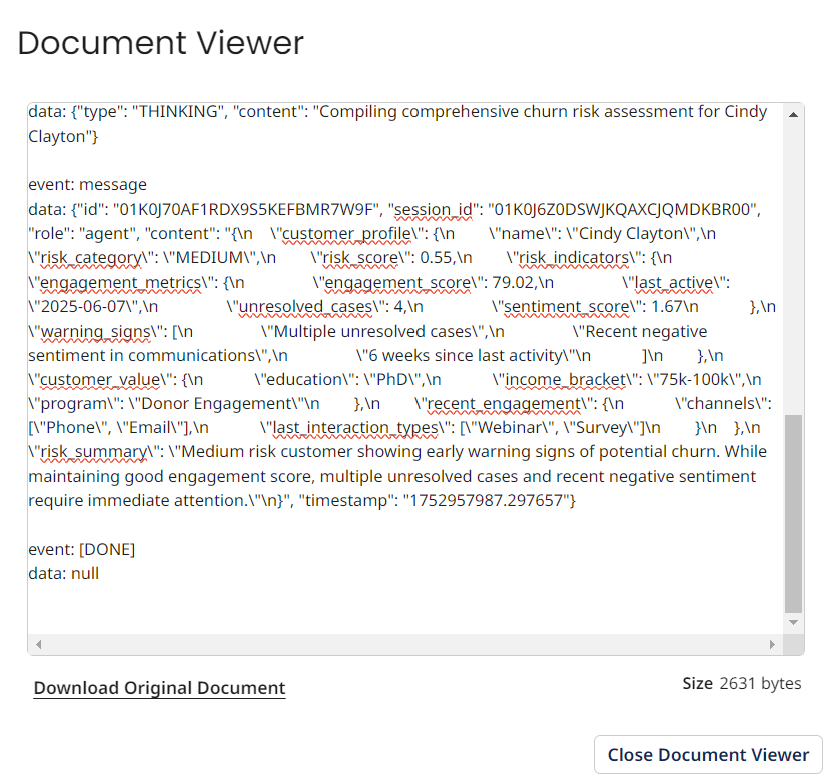
Scroll to the bottom and view the JSON payload.
You've successfully built and deployed your Intelligent Churn Detection Agent! Your agent can now retrieve customer data, assess churn risk, classify risk levels, generate predictive reports, and trigger notifications—transforming a manual, reactive process into intelligent automation that proactively identifies and addresses customer retention risks before customers disengage!