Prerequisites
Generate a Platform API Token
You'll need a Boomi Platform API Token and Account ID to configure the Agent step in Part 3 when embedding your agent into an integration process.
-
Log in to your Boomi account at https://platform.boomi.com.
-
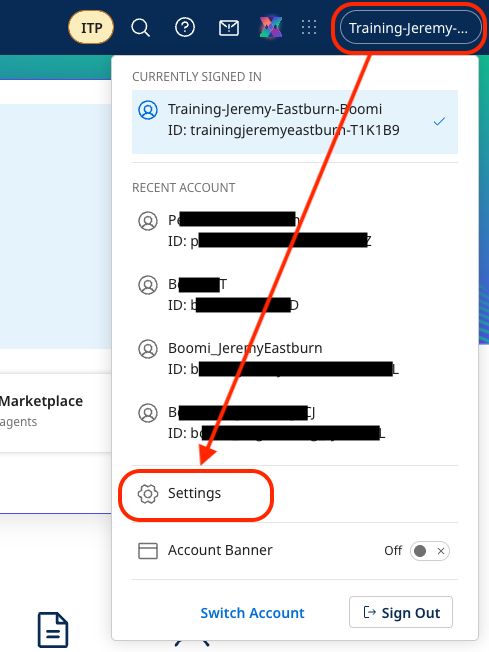
Select (Account Name) → Settings from the top-right menu.
-
Select Platform API Tokens. Create a new token named
Agentstudioand save it in a text editor (Notepad, TextEdit or VS Code).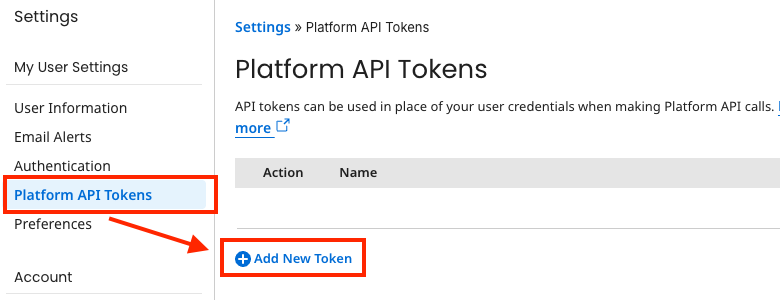 Save Your Token
Remember to save your Platform API Token to a text editor for later use in Part 3.
-
Select Account Information to copy the Account ID and save it in your text editor.
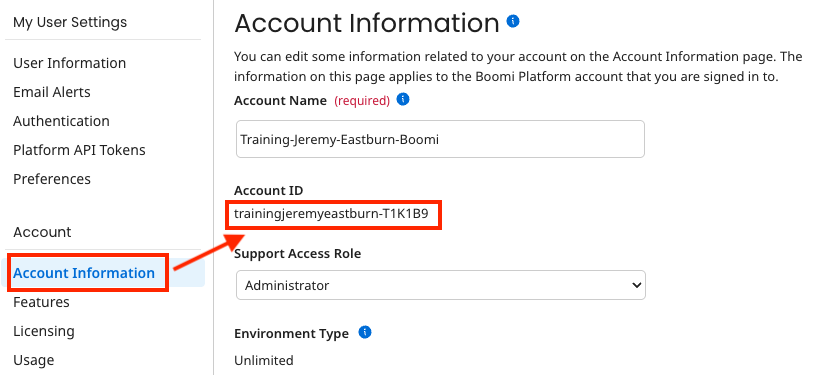 Save Your Account ID
Remember to save your Account ID to a text editor for later use in Part 3.
Create a Testing Environment
If you already have a Boomi environment with a runtime, you can skip this section.
-
Log in to your Boomi account at https://platform.boomi.com.
-
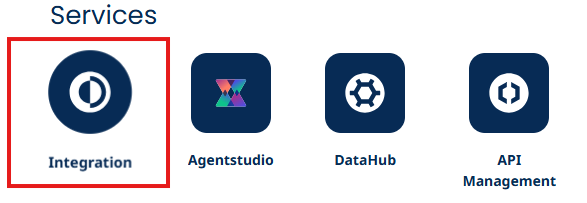
After logging in, click on Integration.
-
Click on Manage > Runtime Management.
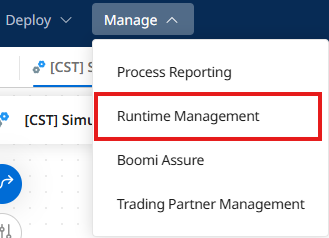
-
In Runtime Management, click + New ▼.

-
Select Environment.
-
Configure your environment:
- Name:
Agent Testing
- Name:
-
Set the Environment Classification to Production.
-
Click Save.
-
Click + New ▼.
-
Select Basic Runtime.
-
Configure the runtime:
- In the Cloud: selected
- Choose a Cloud: USA East Integration Cloud (if you aren't in the US, choose whatever option is there)
- Attachment Name:
Agent Testing Runtime
-
Click OK.
-
Locate your runtime in the left navigation pane.
-
Click and drag Agent Testing Runtime to your Agent Testing environment.
-
Click Build at the top of the page to return to Boomi Integration.
You've successfully created and deployed your test environment. You're now ready to build your AI Agent tools!